On this page
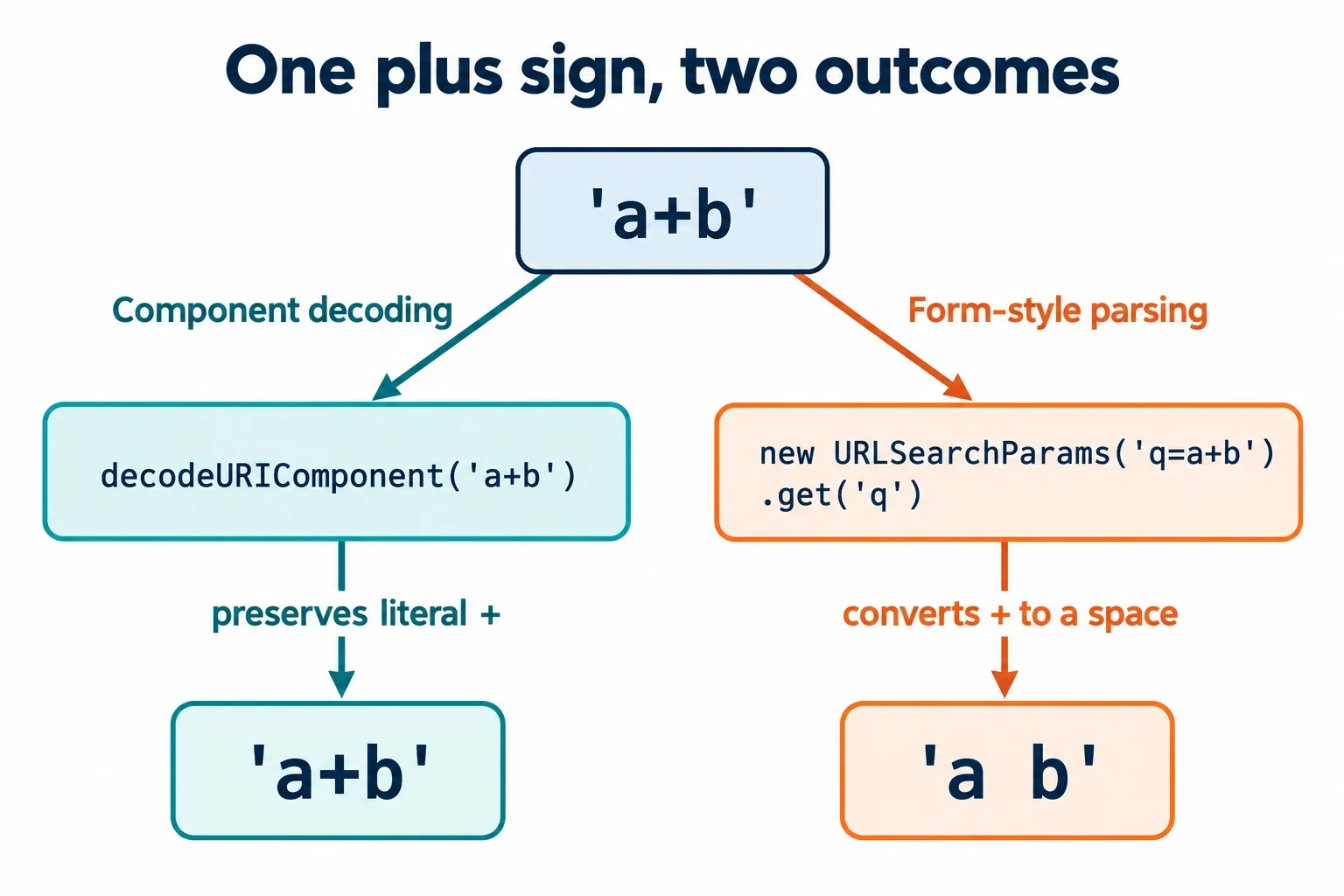
A plus sign becomes a space when an operation interprets it using form-style query rules. Component percent-decoding behaves differently: decodeURIComponent(‘a+b’) returns ‘a+b’, while new URLSearchParams(‘q=a+b’).get(‘q’) returns ‘a b’. The operation receiving the text determines what happens.
To preserve a literal plus through form-style parsing, represent it as %2B in the serialized query. When building parameters programmatically, give the query builder the original value, such as C++, and let it perform the encoding. The examples below follow values across those boundaries so you can identify where a mismatch begins, distinguish an extra decoding pass from the intended one, and investigate errors without guessing.
Locate the operation that changes the plus sign
Start by comparing two operations with the same visible value:
decodeURIComponent('a+b');
// 'a+b'

new URLSearchParams('q=a+b').get('q');
// 'a b'
The component decoder leaves the unescaped plus unchanged. The query parser applies form-style rules, which interpret a raw plus as a space before processing percent escapes. Both results follow the interpretation selected by the operation.
This distinction gives you a useful debugging question: which operation first changes the value? Trace the text immediately before query parsing, immediately after it, and after any additional application processing. If the parser already returns a space, investigate how the producer represented the literal plus. If the parser returns a plus and a later step changes it, inspect that later step.
Avoid treating every function described as a URL decoder as interchangeable. Record its actual input boundary: an isolated encoded value, a query string, or a complete URL. A label alone does not establish which interpretation your application requires.
Preserve literal plus signs with %2B
The difference between a raw plus and an escaped plus becomes especially visible with C++:
const raw = new URLSearchParams('q=C++').get('q');
const escaped = new URLSearchParams('q=C%2B%2B').get('q');

console.log(JSON.stringify(raw));
// "C  "

console.log(JSON.stringify(escaped));
// "C++"
The first result contains two trailing spaces. JSON.stringify makes those spaces visible inside quotation marks, which helps when ordinary output would make the strings look deceptively similar.
The escaped example works because form-style parsing handles raw plus signs before decoding percent escapes. In q=C%2B%2B, the parser encounters no raw plus signs to replace. Percent-decoding subsequently produces the two literal plus characters.
That order matters. The plus signs produced from %2B are part of the decoded value. Running a separate plus-to-space replacement afterward would alter characters that the encoded input explicitly preserved.
When reviewing a failing query, inspect its serialized spelling. q=C++ and q=C%2B%2B express different values to a form-style parser, even if someone informally describes both as a query for C++.
Choose an encoder and decoder that share a contract
Choose the representation by working backward from the receiver. Establish whether it applies form-style query parsing, component percent-decoding, or another explicitly documented convention. A plus sign does not have one universal meaning across URI contexts.
For the operations discussed here, these small inputs expose the difference:
| Input value spelling | Component percent-decoding | Form-style query value parsing |
|---|---|---|
a+b |
a+b |
a b |
a%20b |
a b |
a b |
C%2B%2B |
C++ |
C++ |
Both %20 and + appear as representations of spaces in the supplied examples and guidance. Their suitability depends on the decoding convention. A component decoder leaves a raw plus alone, so it cannot recover a space from that spelling by percent-decoding alone.
Compatibility does not require the producer and receiver to use identically named functions. It requires the producer’s output to carry the intended value under the receiver’s rules. Escaping a literal plus as %2B preserves the distinction in the examples above.
Before changing an encoder, write down the expected decoded value. Then compare the serialized text with the receiver’s documented interpretation. That gives the change a concrete acceptance criterion.
Build query parameters from raw values
Give a query builder the value you want the application to receive:
const u = new URL('https://example.com/search');
u.searchParams.set('q', 'C++ & coffee');

console.log(u.search);
// '?q=C%2B%2B+%26+coffee'

console.log(u.searchParams.get('q'));
// 'C++ & coffee'
The serialized query protects the literal plus signs with %2B, represents the spaces with raw plus signs, and encodes the ampersand within the value as %26. Reading the parameter returns the original text.
Keep the original value and its serialized representation conceptually separate. C++ & coffee is the value passed to the builder. C%2B%2B+%26+coffee is its representation inside this query. Copying the latter back into a value-taking API changes what you are asking that API to encode.
Keep the encoding boundary narrow
An entire URL and an individual parameter value have different boundaries. Encoding a complete URL as though it were one component also escapes characters that carry URL structure. Decide whether the next operation needs a usable complete URL or an encoded component before applying an encoder.
For routine parameter construction, starting with the complete URL and setting the raw value makes that boundary explicit and gives you a straightforward round-trip check.
Decode only the layer the input contract requires
A value-taking query builder treats an encoded-looking string as input text. Compare these two calls:
const raw = new URLSearchParams();
raw.set('q', 'C++');
console.log(raw.toString());
// 'q=C%2B%2B'

const encoded = new URLSearchParams();
encoded.set('q', 'C%2B%2B');
console.log(encoded.toString());
// 'q=C%252B%252B'
console.log(encoded.get('q'));
// 'C%2B%2B'
In the second case, the supplied value contains literal percent signs. Those percent signs are encoded again during serialization. The result is appropriate if the intended value is the text C%2B%2B; it represents a mismatch if the intended value was C++.
Do not compensate automatically by adding another decoder at the receiving end. First establish whether the producer supplied raw data or an already encoded representation. An extra pass may conceal that boundary mistake while changing other inputs.
Count the intended layers
const once = decodeURIComponent('%252F');
console.log(once);
// '%2F'

console.log(decodeURIComponent(once));
// '/'
One pass produces the literal text %2F. A second pass interprets that newly exposed escape and produces a different value. The presence of a percent sequence after decoding does not, by itself, authorize another pass.
The same discipline applies to plus replacement. If %2B has already become a literal plus, replacing plus signs with spaces afterward corrupts the decoded value. Follow the required form-parsing order and stop when the input contract has been satisfied.
Keep repeated query parameters intact
Correct character decoding does not guarantee that every parameter value survives subsequent processing. Repeated names need their own explicit handling:
const params = new URLSearchParams('tag=php&tag=javascript');

console.log(params.get('tag'));
// 'php'

console.log(params.getAll('tag'));
// ['php', 'javascript']
The get method returns the first matching value. The getAll method retrieves all matching values. Choose between them according to the application’s requirements, rather than assuming each name occurs once.
A conversion that permits only one value per name cannot retain both distinct values in this example unless it deliberately stores a collection. Review that conversion when a parsed query looks correct but a later representation contains fewer values.
Before integrating with a receiver, establish whether repeated names are meaningful, whether every value must survive, and whether their order matters. Then check the receiving application’s documented handling. Do not infer its behavior from a single-value accessor in your own code.
For an inspection record, retain the original query alongside the retrieved values. That lets you distinguish a character interpretation problem from information discarded while converting the parsed parameters into another data structure.
Trace a mismatch in escentmachine's URL tool
When investigating a result in escentmachine’s URL tool, record three things together: the exact input, the selected operation, and the expected output. Begin with these two input boundaries:
| Input | Intended operation | Expected observation |
|---|---|---|
https://example.com/search?q=C%2B%2B |
Separate the complete URL into components | Splitting alone does not decode percent escapes |
q=C%2B%2B |
Parse the query using form-style rules | The value of q is C++ |
C%2B%2B |
Percent-decode an isolated component | The result is C++ |
The complete URL and the isolated value contain related text, but they are inputs to different operations. A component-decoding result does not establish how an application’s query parser will interpret every possible query value.
Use the JavaScript examples as reference cases when comparing an observed result. For example, component-decoding a+b should preserve the plus in the demonstrated operation, while form-parsing q=a+b should produce a space. Record which boundary your selected operation claims to accept before comparing results.
Then trace the application’s own handoffs: the producer’s raw value, the serialized query, the receiver’s parsed value, and any later transformation. If the tool and application appear to disagree, compare those inputs and operations first. This makes the mismatch specific enough to investigate without assuming that the tool or receiver performed an undocumented step.
Separate plus conversion from malformed encoding
An unexpected space and a decoding exception require different investigations. Form-style parsing of q=a+b succeeds and returns a b. The surprising character is a consequence of the selected interpretation.
By contrast, this incomplete UTF-8 example causes component decoding to throw:
try {
  decodeURIComponent('%E3');
} catch (error) {
  console.log(error.name);
  // 'URIError'
}
Here the operation does not return an ordinary decoded string for comparison. Inspect the exact encoded input and the operation that rejected it. Replacing plus signs cannot explain or repair this particular incomplete sequence.
Do not assume every query parser reports malformed input in the same way as decodeURIComponent. Establish the behavior of the actual receiver and record whether the outcome is a returned value or an error. Keep that observation separate from assumptions about what a generic URL decoder ought to do.
A useful investigation ends with a precise statement: which input crossed which boundary, which operation handled it, and what result or error followed. For a plus mismatch, that usually directs attention to the producer’s spelling and the receiver’s parsing convention. For malformed encoding, it directs attention to the rejected input and the decoder’s documented behavior.