Contents
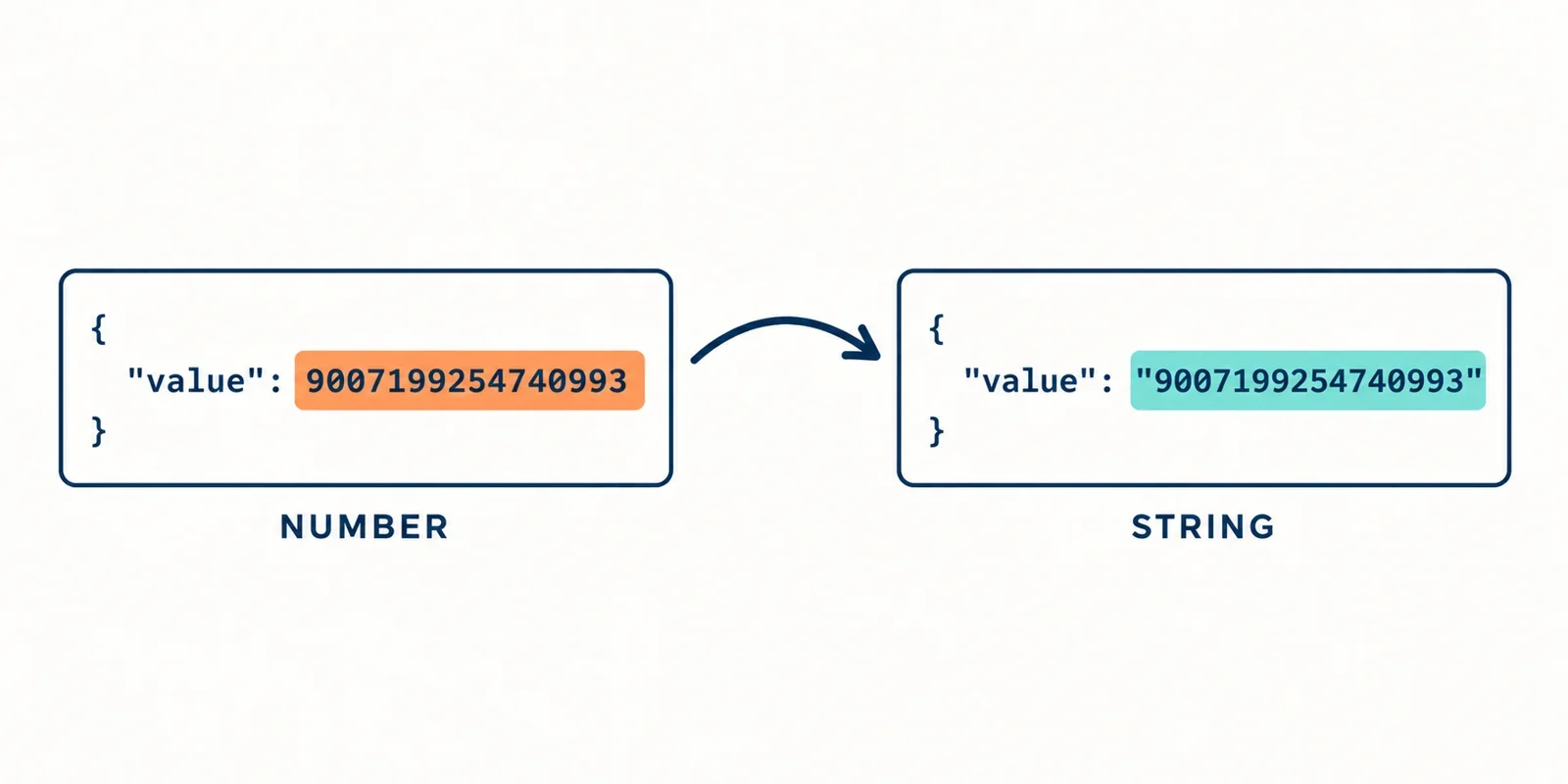
When you exchange structured data between systems, the simplest representation often hides a subtle trap: JSON numbers may not be what they appear. In JavaScript and many other environments, numbers are stored as IEEE 754 double-precision floats. That means integers beyond a certain range—and decimals with many significant digits—can be silently rounded when you parse or stringify JSON. The result is data corruption that is invisible until you compare values or perform arithmetic later.
The most common mitigation is to represent these sensitive numeric values as JSON strings. By wrapping a number in quotes, you preserve its exact textual form through parsing and serialization. The string "12345678901234567890" will always come back as exactly those characters, even if the environment cannot represent that integer precisely. This technique is recommended by interoperability standards and has become a de facto pattern for financial, scientific, and other high-precision APIs.
In this guide, we’ll examine why JSON numbers have a precision ceiling, where rounding occurs during parsing and serialization, and how string encoding can solve the problem. We’ll also look at the trade-offs, concrete implementation patterns, and what official guidance says about this practice. By the end, you’ll know when and how to apply string-based numeric encoding in your own JSON designs.
The double-precision ceiling in JSON numbers
Why numbers are limited to 64-bit floats
JavaScript, the language where JSON is most commonly consumed, represents every number as a 64-bit floating point value. This follows the IEEE 754 double-precision format, which uses 53 bits for the significand (the fractional part). As a consequence, only integers up to 2^53−1 can be represented exactly. Larger integers are approximated to the nearest representable double, which means multiple distinct integers can collapse into the same value.
For example, the integers 12345678901234567890 and 12345678901234567000 are different, but in JavaScript they are equal because both map to the same floating point representation. This is not a bug in JSON itself, but a property of the underlying numeric type used by most runtimes. Other languages that parse JSON into native double types have the same limitation.
The practical ceiling means any integer beyond the safe range is at risk. Even within the safe range, decimals with many significant digits may lose precision if the total number of digits exceeds 15 or 16. The boundary is not always obvious, which makes it easy to ship a data format that corrupts values silently.
How precision is lost during serialization and parsing
Serialization: from native value to JSON text
When you call JSON.stringify() on an object, JavaScript converts each number to a decimal string. For most values this is lossless because the runtime already holds the exact double representation. However, if the number came from a calculation or a source that exceeded the safe integer range, the in-memory value may already be rounded. The string you write to the wire is then the rounded approximation—there is no way to recover the original.
Parsing: from JSON text to native value
The more visible loss happens during parsing. JSON.parse() scans the JSON text and converts numeric tokens directly into JavaScript’s double type. For a large integer like 12345678901234567890, the parser produces a double that is not the same as the original. This rounding occurs before your code ever sees the value—even if you pass a reviver function, the argument is already the rounded double. The original textual digits are discarded as soon as the token is interpreted.
Round-trip failure
Because both sides use the same double representation, a value that starts as an exact decimal may become an approximation in transit. When the recipient serializes the value back to JSON, they may emit a different number than the one sent. This breaks the promise of JSON as a faithful data interchange format. The loss is not reversible unless you intervene before parsing—for example by using a string.
String-encoded numbers: the common mitigation
The technique in brief
The simplest way to preserve exactness is to write the number as a JSON string. Instead of 12345678901234567890, you send "12345678901234567890". The quotes tell the parser that the content is text, so no numeric conversion occurs. The value remains a sequence of characters, and every digit is preserved exactly.
Why it works
Strings are the most flexible JSON type for encoding structured data. They can hold any Unicode text, including digits, decimals, exponents, and even leading zeros if you need them. Because the string does not go through the JSON number parser, there is no opportunity for rounding. The receiving system can later convert the string to a high-precision numeric type—like Python’s int, Go’s big.Int, or Java’s BigDecimal—without ever passing through a double.
When to use it
String encoding is the recommended approach for any numeric value that may exceed the safe integer range or that requires more precision than a double can provide. Common examples include database identifiers, money amounts in high-precision currencies, cryptographic keys, and timestamps where the unit is nanoseconds. The choice between a JSON number and a JSON string depends on what the recipient can handle. If the consumer is a JavaScript application and the value stays within the safe range, a number is fine. Otherwise, a string is the safe fallback.
Example
Consider a payload that includes a large gross domestic product figure. With string encoding, the JSON looks like this:
{"gross_gdp": "12345678901234567890"}
When parsed in JavaScript, you get a string, not a rounded number. The exact digits are available for further processing.
Trade-offs when numbers become strings
Type ambiguity
The biggest drawback is that the consumer must know a string is meant to be a number. A field like "gross_gdp": "12345678901234567890" looks like a text value, and without documentation, a client might treat it as a label instead of a quantity. This ambiguity can lead to silent type errors or unintended string concatenation.
Schema and contract impact
If you use JSON Schema, you need to define those fields as type: "string" and optionally add a pattern or format to indicate the allowed numeric syntax. This complicates the schema and makes the contract more explicit. Tools that generate client code from schemas may produce string properties where you expected numbers, which can affect serialization in the client’s own API calls.
Comparison semantics
String values sort and compare lexicographically, not numerically. For example, "100" comes before "99" because "1" is less than "9" in character order. If you need to sort or filter by such a field, you must convert the string back to a numeric type first. This extra step is easy to forget and can cause subtle bugs in display or analytics.
Performance overhead
Strings take more memory and bytes than numbers in most serialization formats. In high-volume APIs, the extra quotes and the lack of native numeric parsing can add CPU cost. However, the overhead is small compared to the correctness risk, especially for values that are not frequent in the payload. If performance is critical, you might use a hybrid approach—reserve strings only for fields that require high precision.
API versioning
Changing an existing numeric field to a string is a breaking change. Clients that expect a number will break when they receive a string. You need to manage API versioning or provide clear migration notes. In many cases, it is cleaner to introduce a new field with a different name and deprecate the old one gradually.
Implementation patterns: toJSON, replacer, rawJSON
Custom toJSON methods
For native JavaScript types that carry huge integers, you can add a toJSON() method that outputs a string. This is especially useful for BigInt, which cannot be serialized directly by JSON.stringify(). Adding a method like this:
BigInt.prototype.toJSON = function() {
  return this.toString();
};
Then JSON.stringify({value: 12345678901234567890n}) produces {"value":"12345678901234567890"}. The string is emitted instead of raising a TypeError. This approach keeps the serialization logic close to the data type.
Replacer functions
If you cannot modify the data type, you can use a replacer function passed to JSON.stringify(). The replacer is called for each value and can return a string version of any number that needs protection:
const data = { large: 12345678901234567890 };
const json = JSON.stringify(data, (key, value) => {
  if (typeof value === "number" && Number.isSafeInteger(value) === false) {
    return value.toString();
  }
  return value;
});
This is a pragmatic way to retrofit string encoding in existing codebases without touching every object definition.
JSON.rawJSON() for precise control
A newer JavaScript feature is JSON.rawJSON(), which allows you to inject a raw JSON token into a string without intermediate parsing. It is not widely available in all environments yet, but when supported, it lets you embed a number literal exactly as you want it to appear, bypassing the double conversion. For example:
const raw = { value: JSON.rawJSON("12345678901234567890") };
JSON.stringify(raw); // '{"value":12345678901234567890}'
This technique gives you the exact numeric token in the output, but note that the parsed value on the receiving side will still be a rounded double. It is useful for round-tripping the source text, but it does not help the consumer who needs a precise number.
Choosing the right pattern
The choice depends on where the data originates. If you control the data type, a toJSON method is cleanest. If you are dealing with legacy objects, a replacer is a quick fix. For advanced source-aware serialization, JSON.rawJSON() provides the greatest control.
Standards guidance: I-JSON and JCS
I-JSON (RFC 7493)
The Internet JSON (I-JSON) specification defines a restricted profile of JSON to maximize interoperability. RFC 7493 specifically identifies the limitation of IEEE 754 doubles and recommends that numbers outside the safe integer range be represented as strings. It also discourages sending numbers with more than a certain number of significant digits, unless they are handled as strings. Following I-JSON guidance helps ensure that any JSON you send can be parsed without loss by a wide range of implementations.
JSON Canonicalization Scheme (RFC 8785)
The JSON Canonicalization Scheme (JCS) defines a deterministic way to serialize JSON for hashing and signing. JCS requires that numeric values be represented in a canonical form. For values that cannot be represented as a double without loss, JCS mandates that they be serialized as strings. This is crucial for digital signatures: if two parties serialize a payload differently, the signature will not match. Using strings for high-precision numbers guarantees that the canonical text is the same across systems.
Practical implications
When designing a new API, check whether your payloads align with I-JSON and JCS. If you expect to interoperate with many clients, adopting their recommendations for string-encoded numbers reduces surprises. It also makes your formats more future-proof as new languages and libraries join the ecosystem.
What to verify
Before committing to a string-based scheme, confirm that all clients can parse the field as the intended numeric type. Documentation and sample code should show the expected conversion. If you need to handle both numbers and strings for backward compatibility, consider adding a discriminator field or using a separate endpoint.