On this page
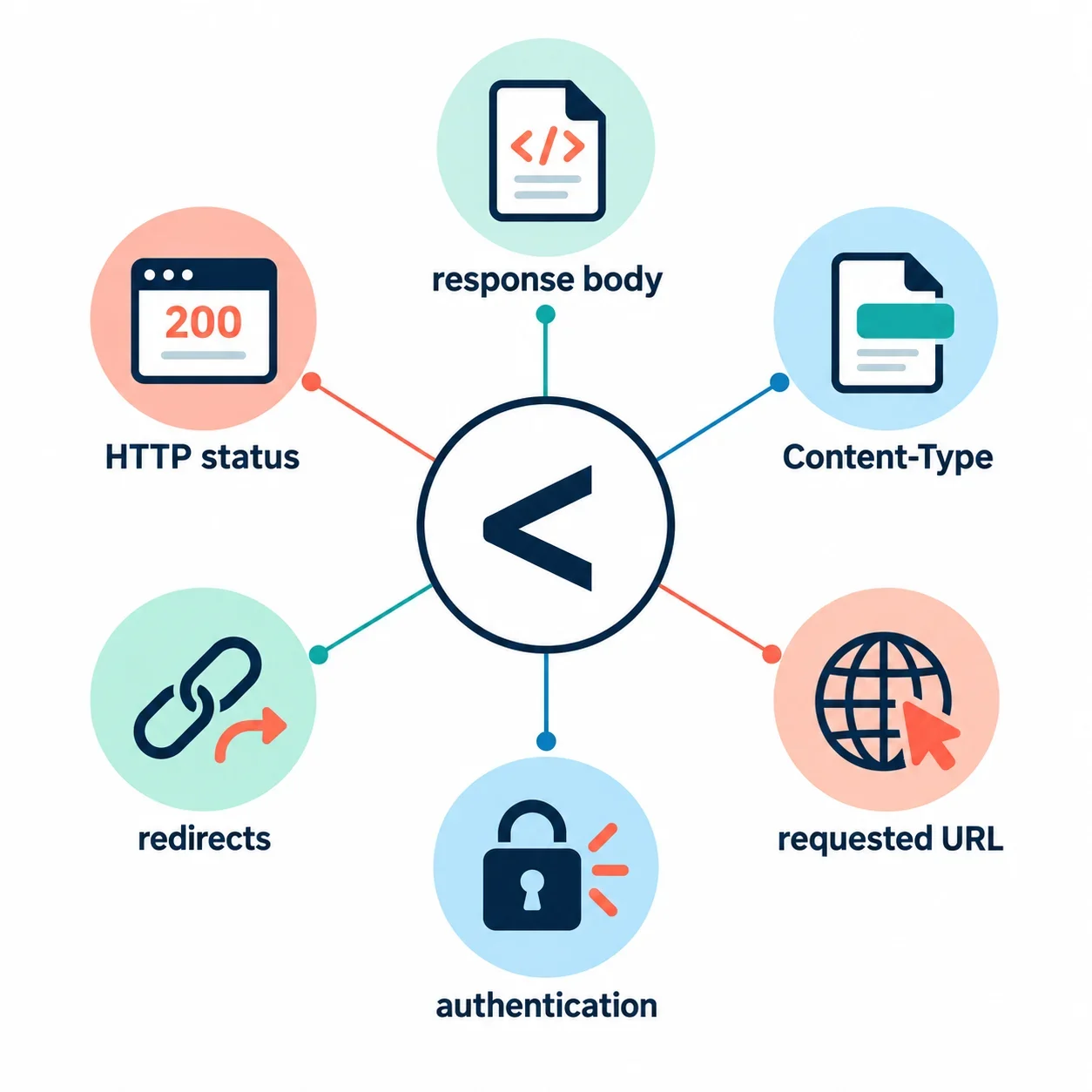
If the first non-whitespace character of an API response is an unquoted <, that text cannot be parsed as JSON. An HTML page or XML document is a possibility to investigate. The parsing error identifies a mismatch between the expected format and the received text; it does not establish why the endpoint returned that text.
Start by capturing the response body. Read it alongside the HTTP status, declared Content-Type, requested URL, final destination and available redirect evidence. Then check the endpoint’s documented authentication and access requirements. Keep JSON validity separate from the HTTP outcome: successful decoding does not establish that a request succeeded. The examples below isolate these questions without depending on a live service.
Why an unquoted < fails JSON parsing
Response.json() parses response body text as JSON. When that text cannot be parsed, the documented exception is SyntaxError. An unquoted < at the beginning fails this syntax check.
Run this JavaScript example locally:
try { JSON.parse('<html></html>'); } catch (e) { console.log(e.name); }
// Expected output: SyntaxError
Compare it with a JSON string containing angle brackets:
console.log(JSON.parse('"<tag>"'));
// Expected output: <tag>
JSON strings require double-quote delimiters. In the second example, the outer single quotes delimit a JavaScript string. The double quotes inside that string are part of the JSON text supplied to the parser. The angle brackets occur within the quoted JSON value, so they do not produce the same failure.
A valid JSON document can contain a single primitive. It does not have to begin with an object or array:
console.log(JSON.parse('42'));   // 42
console.log(JSON.parse('true')); // true
console.log(JSON.parse('null')); // null
When examining a response, ask two separate questions: can the complete text be parsed as JSON, and does the resulting value match the structure the application expects? A successful syntax check answers only the first question.
Inspect the response body before interpreting the error
In the browser Network panel, select the request associated with the error and inspect its response body. In an HTTP client, capture the returned body with its accompanying response information. Confirm that you selected the failing request, especially when several requests have similar names.
Read the first non-whitespace characters, then enough surrounding text to understand the message. These are constructed examples, not observations from a particular endpoint:
| Opening text | Useful next question |
|---|---|
<html><head><title>Example error</title> |
What do the page title and message say about the response? |
<?xml version="1.0"?><error>Example failure</error> |
Does the endpoint document an XML response for this request? |
{"error":"Example failure"} |
Does the complete body parse, and what does the decoded message report? |
"<tag>" |
Is a JSON string an expected response value? |
An HTML error page beginning with < is one possible explanation. A sign-in screen, XML document or website page gives you a different investigation to pursue. None of these appearances alone establishes which component produced the response.
A visible sign-in form supports checking authentication and redirects. It does not prove that the original API endpoint required an interactive login. Likewise, a page containing an error message does not identify the routing decision that delivered it.
Keep the full body available for inspection. A short preview can expose an obvious mismatch, but a valid-looking opening cannot establish that the complete document is valid JSON. Remove credentials and other sensitive details before sharing a diagnostic capture.
Read HTTP status, Content-Type and body together
Record the raw HTTP status, declared Content-Type and actual response text together. Use the endpoint’s documentation to interpret the HTTP result. application/json is a JSON MIME type, while the body contains the text the parser actually evaluates.
The following table separates parsing from the HTTP outcome. Its success and failure descriptions are explicit scenario assumptions; no numbered status is assigned a meaning here.
| Assumed HTTP outcome | Declared Content-Type | Complete body | Expected JSON parsing result |
|---|---|---|---|
| Success | text/html | <html></html> |
Fails |
| Failure | application/json | {"error":"Example failure"} |
Succeeds |
| Success | application/json | <html></html> |
Fails |
The third scenario deliberately supplies a JSON declaration with text that fails JSON parsing. A declaration does not make incompatible text parseable. The second scenario illustrates the other distinction: successful JSON decoding does not establish that the HTTP response was successful.
For an actual request, replace the assumed outcome with the captured status and its documented interpretation. Keep the parsing result beside it. This prevents a decoded error message from being mistaken for a successful operation, or a parsing exception from being treated as a complete diagnosis of the HTTP exchange.
When observations disagree, preserve the disagreement. A note such as “Content-Type says application/json; body begins with unquoted <” gives the next investigation a concrete mismatch to explain.
Check the requested URL and follow the redirect trail
Compare three things: the intended API endpoint, the request your application actually sent and the destination that returned the body. Check the method alongside the URL. A familiar host or endpoint name is insufficient evidence that the intended request reached the intended resource.
Use a consistent comparison:
- Find the endpoint’s documented address, method and parameters.
- Compare them with the captured request.
- Examine the path and query values for construction or encoding mistakes.
- Inspect available redirect records and destination addresses.
- Compare the final body with the documented response contract.
URL inspection helps examine components and parameter values. Keep the original address alongside the inspected values so you can compare intent with the actual request. Use a network client or the browser Network panel to capture HTTP responses; inspecting a URL alone does not provide the returned body.
For redirects, inspect the recorded request sequence and available destination information. Verify how your chosen client exposes that evidence before relying on a particular property or display. A final destination and a complete redirect trail are different pieces of evidence, so record which one you actually captured.
A path mistake, a redirect to a website or sign-in page, or a routing fallback could explain unexpected markup. Treat each as a hypothesis until request records or routing configuration support it. Ask: which recorded request produced this body, and how does its destination compare with the documented API endpoint?
Investigate authentication and resource access
Read the authentication requirements for the specific endpoint. Check what credentials the failing request supplied, how it supplied them and whether the documented permissions cover the requested resource. An application setting containing a credential is not evidence that the particular request sent it as required.
If the response appears to describe a missing resource, check how that endpoint documents resource and access errors. Status alone may leave the distinction unresolved. Verify both the resource identifier and the caller’s documented access requirements before deciding which configuration needs changing.
For a GitHub API request, keep this investigation scoped to the particular GitHub endpoint. Consult its documentation for authentication, required permissions and resource-access responses. The example does not establish a universal GitHub status rule or explain an unseen GitHub response. Use the endpoint’s own contract to interpret the captured evidence.
If a redirect occurred, investigate the request received at the destination as well. Examine available outgoing-request records and the client’s documented redirect behavior to establish what credentials were sent. Avoid inferring that from the original request configuration alone.
A sign-in page is a useful clue, but the practical question remains specific: which destination returned it, and what access requirements applied there? Request broader permissions only when the documented requirements and captured evidence show that they are needed.
Capture diagnostics before parsing in JavaScript and Python
For a real request, collect the raw status, Content-Type, requested URL, final URL and available redirect evidence before interpreting the body. Verify the metadata interface in your client’s documentation. The examples below accept those observations as a separate record, avoiding assumptions about metadata defaults or redirect-history behavior.
The local fixtures test text inspection and decoding only. Their HTTP outcomes are assumed labels, their content types are supplied labels, and their network fields explicitly say not captured. They do not demonstrate an HTTP exchange.
JavaScript: save the response text before parsing
This helper reads the text and parses the saved string. When adapting it to Fetch, pass the response together with evidence collected from the actual request.
async function inspectFetchResponse(response, evidence) {
  console.log('evidence:', evidence);

  let body;
  try {
    body = await response.text();
  } catch (error) {
    console.log('body read error:', error.name);
    return;
  }

  console.log('preview:', body.slice(0, 160));

  try {
    const value = JSON.parse(body);
    console.log('JSON:', value);
  } catch (error) {
    console.log('parse error:', error.name);
  }
}

async function runExamples() {
  const fixtures = [
    ['assumed success', 'text/html', '<html></html>'],
    ['assumed failure', 'application/json',
      '{"error":"Example failure"}']
  ];

  for (const [httpOutcome, contentType, body] of fixtures) {
    const evidence = {
      status: 'not captured',
      httpOutcome,
      contentType,
      requestedUrl: 'not captured',
      finalUrl: 'not captured',
      redirectTrail: 'not captured'
    };

    // Local text source, not a constructed Fetch Response.
    const localTextSource = { text: async () => body };
    await inspectFetchResponse(localTextSource, evidence);
  }
}

runExamples().catch(console.error);
The first fixture prints parse error: SyntaxError. The second prints a decoded object whose error value is Example failure. Neither result verifies an HTTP outcome; the labels were supplied by the fixture.
Keep body-reading failures separate from syntax failures. A disturbed or locked body is a documented reason for TypeError from Response.json(). If no body text was obtained, investigate response reading before treating the problem as invalid JSON syntax. Once text is available, inspect and parse that saved text.
Python: inspect text before Requests JSON decoding
This example requires Requests. It constructs response bodies locally and supplies diagnostic labels separately. The _content assignment prepares fixture bytes for the demonstration; it is not part of collecting a live response.
import requests


def inspect_response(response, evidence):
    print("evidence:", evidence)

    try:
        body = response.text
    except Exception as error:
        print("body read error:", type(error).__name__)
        return

    print("preview:", body[:160])

    try:
        value = response.json()
    except requests.exceptions.JSONDecodeError as error:
        print("parse error:", type(error).__name__)
    else:
        print("JSON:", value)


fixtures = [
    ("assumed success", "text/html", "<html></html>"),
    ("assumed failure", "application/json",
     '{"error":"Example failure"}'),
]

for http_outcome, content_type, body in fixtures:
    response = requests.Response()
    response.encoding = "utf-8"
    response._content = body.encode("utf-8")

    evidence = {
        "status": "not captured",
        "http_outcome": http_outcome,
        "content_type": content_type,
        "requested_url": "not captured",
        "final_url": "not captured",
        "redirect_trail": "not captured",
    }
    inspect_response(response, evidence)
The first fixture prints parse error: JSONDecodeError. The second prints the decoded error object. Requests uses its selected text encoding when exposing response.text; these fixtures explicitly select UTF-8. Invalid JSON passed to response.json() raises requests.exceptions.JSONDecodeError.
For a live investigation, replace the fixture labels with observations from the captured request. Preserve the full body separately from the preview, and distinguish an observed absence of redirects from redirect information you did not collect.
Fix the response mismatch and inspect the next result
Choose the next change from the evidence. A parsing exception by itself does not tell you whether to edit an endpoint address, change access configuration or repair the component producing the response.
| Supported finding | Targeted next step |
|---|---|
| The captured request differs from the documented endpoint | Correct the address, method or parameter construction. |
| A recorded redirect reaches an unexpected destination | Investigate the redirect and the request received there. |
| The request does not satisfy documented access requirements | Supply the required credentials or obtain the required resource access. |
| Request records identify a component returning unexpected markup | Repair that component’s response or routing behavior. |
| The body is intended as JSON but fails syntax parsing | Inspect its syntax with the enabled JSON formatter. |
| Reading fails before body text is available | Investigate response reading before diagnosing JSON syntax. |
After the targeted change, capture a fresh response. Compare its status, declared Content-Type, destination and body with the earlier capture. Check whether the complete body parses, whether the HTTP outcome is acceptable under the endpoint’s documentation and whether the decoded value has the expected structure.
Use escentmachine’s JSON formatter when the body is intended as JSON and you need to inspect its syntax. Formatting cannot explain why a remote component returned a page. If the captured body remains markup, continue tracing the request and response evidence rather than deleting characters until something parses.
The useful closing question is concrete: does the new response match the documented contract for this exact request?