On this page
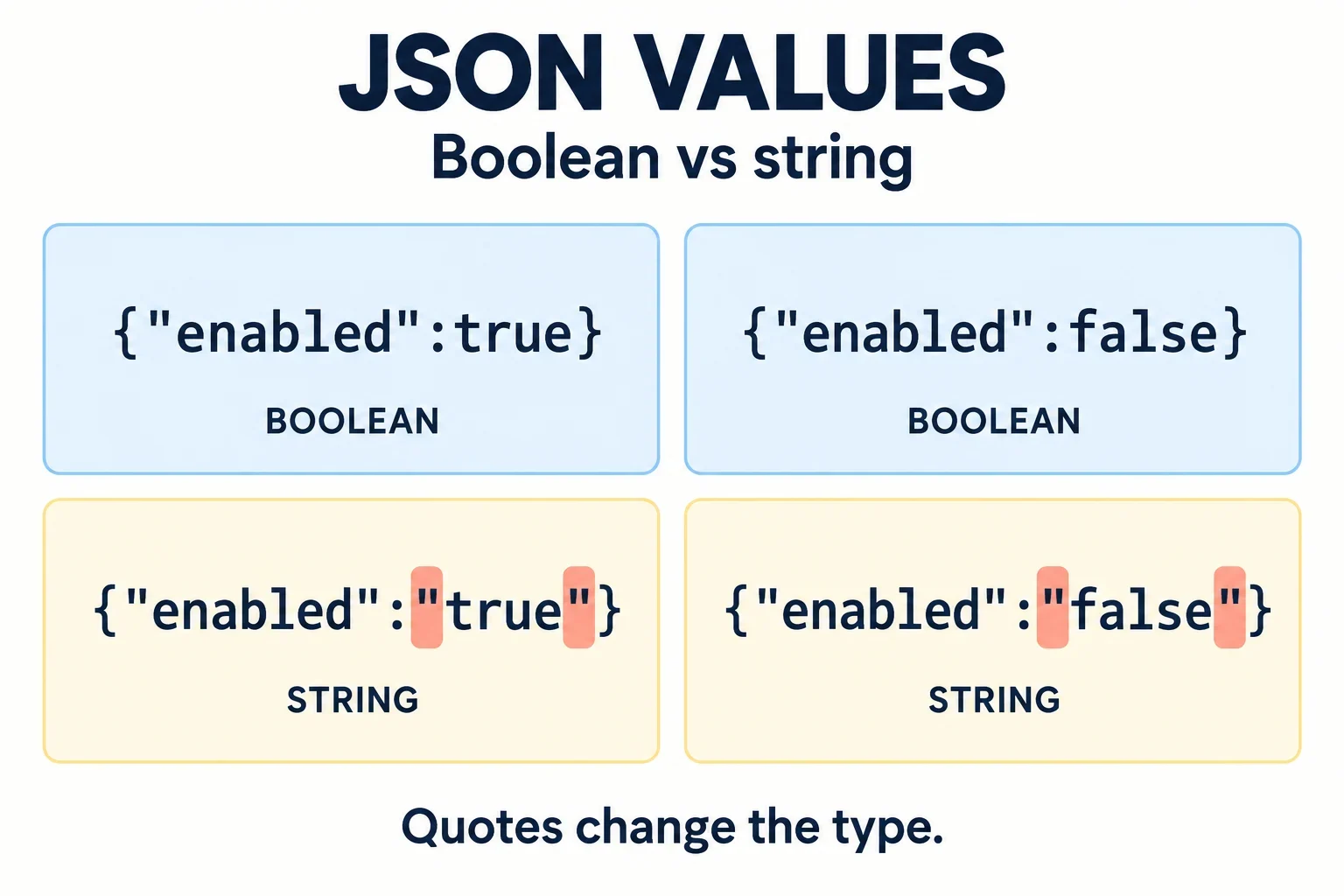
Look at the quotation marks around the value: false is a boolean, while "false" is a string. The same distinction applies to true and "true". A boolean requirement accepts only the two boolean values; spelling one of those words inside a string does not satisfy it.
To investigate a suspicious flag, compare the original JSON with the exact field your application uses. Record the field path, inspect its type using your implementation’s documented facilities, and check the endpoint’s accepted inputs. Then decide whether to preserve the value, reject a mismatch, or apply an explicitly permitted mapping. Keep those decisions visible so that an attempted fix does not conceal where the wrong representation entered the system.
Compare true and false with their quoted counterparts
Start with four payloads that differ only in the value of enabled. This makes the relevant quotation marks easier to identify.
| JSON payload | Representation of the value | Meets a boolean-only requirement? |
|---|---|---|
{"enabled":true} |
Boolean true |
Yes |
{"enabled":false} |
Boolean false |
Yes |
{"enabled":"true"} |
String "true" |
No |
{"enabled":"false"} |
String "false" |
No |
Every example has quotation marks around the property name, "enabled". Focus on the value after the colon. The quotation marks surrounding that value distinguish the string examples from the boolean examples.
A boolean type accepts true and false. Strings containing those words do not meet the requirement, regardless of how naturally a person might read them.
For a larger payload, make a small diagnostic excerpt that preserves the original representation. Include the complete field path in your notes: settings.enabled is more useful than an isolated mention of enabled when several objects contain similarly named properties.
A useful mismatch description is: “At settings.enabled, expected a boolean; the supplied JSON contains the string "false".” It identifies both the location and the representation that needs attention.
Inspect the type after parsing
After parsing, inspect the particular field that reaches validation or controls the behavior under investigation. Use the type inspection method documented for your implementation, and retain its reported result alongside the field’s value.
Use these four inputs as comparison cases:
[true, false, "true", "false"]
The input deliberately includes both boolean and string representations. Check each corresponding value in your application rather than relying on a display of the words alone. Confirm how your chosen inspection facility presents types before interpreting its output.
For an actual report, collect these details together:
- The original JSON excerpt, with quotation marks preserved.
- The exact field path inspected after parsing.
- The type reported by the implementation.
- The value and type observed immediately before validation or use.
Keep the observations separate from expectations. For example, “the contract requires a boolean” describes the requirement; “the inspector reports a string” describes an observation you must obtain from the application.
If a transformation occurs between parsing and use, inspect the field on both sides of that transformation. Checking an earlier object alone does not establish what the later operation received.
Understand why the string false can behave as true
If an application receives "false" and then performs an action you associate with true, separate the input question from the behavior question. The supplied value is a string; whether the application accepts or interprets it requires another check.
Identify the exact operation involved. Is the code validating a boolean type, applying a general boolean conversion, selecting a conditional branch, or explicitly interpreting permitted string values? Do not assume these operations implement the same input policy.
For a JavaScript investigation, check the language documentation for the particular conversion or conditional expression in use. Compare its handling of the boolean false and the string "false", and record the observed results. Establish those language-specific rules before attributing the behavior to truthiness. Do not transfer a conclusion to another language without checking its rules.
The contract decision is clearer: if the endpoint requires a boolean, "false" fails that requirement. An application behavior that appears useful does not make the original string a valid boolean input.
Ask two separate questions during review: “Was this representation allowed?” and “What did this expression do with it?” Resolve the first before using conversion as a fix.
Separate JSON syntax from the API's expected type
Reading a payload successfully as JSON does not establish that every value meets the endpoint’s contract. Compare these two payloads:
{"enabled":false}
{"enabled":"false"}
Both are JSON examples, but their enabled values have different types. A syntax check and a field-type check answer different questions.
For a boolean value requirement, the relevant schema expression is:
{"type":"boolean"}
The accepted boolean values are true and false. The strings "true" and "false" do not satisfy that type. Neither do the numbers 1 and 0 merely because someone associates them with enabled and disabled states.
Before changing an integration, find the endpoint’s documented answers to these questions:
- Which representations may this field contain?
- Are either of the quoted strings explicitly accepted?
- Does the endpoint permit numbers or
null? - What should happen when the field is omitted?
Record omission handling from the endpoint contract rather than inferring it from the boolean value examples. If the documentation leaves a case unresolved, ask for that decision before adding a conversion or default that depends on it.
Reject mismatches when the contract requires a boolean
For a boolean-only contract, make the validation rule explicit: accept the boolean values true and false, preserve whichever was supplied, and reject other supplied representations.
The following table describes the intended validation decisions. It is a policy to implement and verify using the chosen validation facilities.
| Supplied value | Required decision |
|---|---|
false |
Accept and preserve false. |
true |
Accept and preserve true. |
"false" |
Reject the string. |
"true" |
Reject the string. |
0 or 1 |
Reject the number. |
Check the representation before performing any conversion that would prevent you from diagnosing the original mismatch. A converted result cannot, by itself, demonstrate that the sender supplied an allowed value.
Keep rejection messages specific. “settings.enabled must contain a boolean; received a string” gives a clearer correction target than “invalid request.” Where useful, include the rejected representation with its quotation marks intact.
Also establish how a validation failure reaches the caller. The important review question is whether the mismatch is reported before the application relies on the field. Choose the concrete error mechanism according to the application’s documented conventions, and verify it with accepted and rejected examples.
Map string representations only when explicitly allowed
If the endpoint explicitly permits the strings "true" and "false", write down their mappings before implementing an adapter. Treat this as interpretation authorized by that contract.
For an example contract accepting booleans and those two exact strings, the intended behavior is:
| Accepted input | Intended result |
|---|---|
Boolean true |
Preserve true. |
Boolean false |
Preserve false. |
String "true" |
Map to boolean true. |
String "false" |
Map to boolean false. |
Under this example policy, reject other supplied inputs. Do not extend the accepted set simply because another representation looks understandable.
Ask separately about capitalization, surrounding whitespace, numeric aliases, and defaults. Permission to accept "false" does not establish permission to accept "False", " false ", or 0. Record any additional allowance explicitly and add corresponding review cases.
Keep the adapter’s input and output distinguishable in diagnostic records. This lets you explain both what the caller supplied and what the application intentionally produced. If a mapping fails, report the unsupported input instead of silently substituting a default unless the contract specifically requires that substitution.
Locate where the value became a string
Follow one field through the full path involved in the problem. At each boundary, collect evidence before deciding where a correction belongs.
| Boundary | What to capture | Question to answer |
|---|---|---|
| Original payload | The field’s JSON notation | Is the value quoted? |
| Parsed object | The field value and reported type | What did this inspection establish? |
| Application transformation | Observations before and after the step | Where does the representation first differ? |
| Serialized output | The outgoing JSON excerpt | What representation is being sent onward? |
Keep the field path attached to every observation. If a transformation changes the path, record the correspondence so that you continue following the same logical setting.
If the original payload already contains "false", investigate the component that produced it. If earlier evidence shows a boolean and later evidence shows a string, narrow the investigation to the intervening operations. Avoid adding conversion at an unrelated boundary merely to make the final symptom disappear.
Review query parameters separately from JSON body values. Use the relevant endpoint’s documented interpretation rules, and identify where parameter handling occurs. Do not extend a JSON body rule to a query parameter without confirming that the endpoint authorizes the same representations.
Keep false distinct from missing and invalid input
Use a diagnostic matrix to make the intended decisions reviewable. This example accepts only boolean values when a value is supplied; omission handling must come from the endpoint’s documented policy.
Input for enabled |
Decision under the example value policy |
|---|---|
false |
Accept and preserve false. |
"false" |
Reject the string. |
true |
Accept and preserve true. |
"true" |
Reject the string. |
"" |
Reject the empty string. |
0 |
Reject the number. |
null |
Reject under this boolean-only policy. |
| Property absent | Follow the documented omission policy. |
If strings are explicitly permitted, revise the corresponding rows to show the authorized mappings. Keep the remaining cases visible rather than treating one successful conversion as evidence that all input handling is correct.
Review fallback behavior
Before introducing a default, specify exactly which cases should receive it. Ask whether the intended trigger is omission, an invalid supplied value, or another documented condition. Then verify that the chosen implementation preserves an accepted false.
Review any broad conversion or fallback expression against every row. Check its behavior using the relevant implementation documentation and observed results; do not infer correctness from how the expression reads.
A complete resolution should explain the original representation, the first boundary where it differed from expectations, and the contract decision applied there. That gives the next reviewer a concrete account of the mismatch and the reason for the chosen handling.