Table of Contents
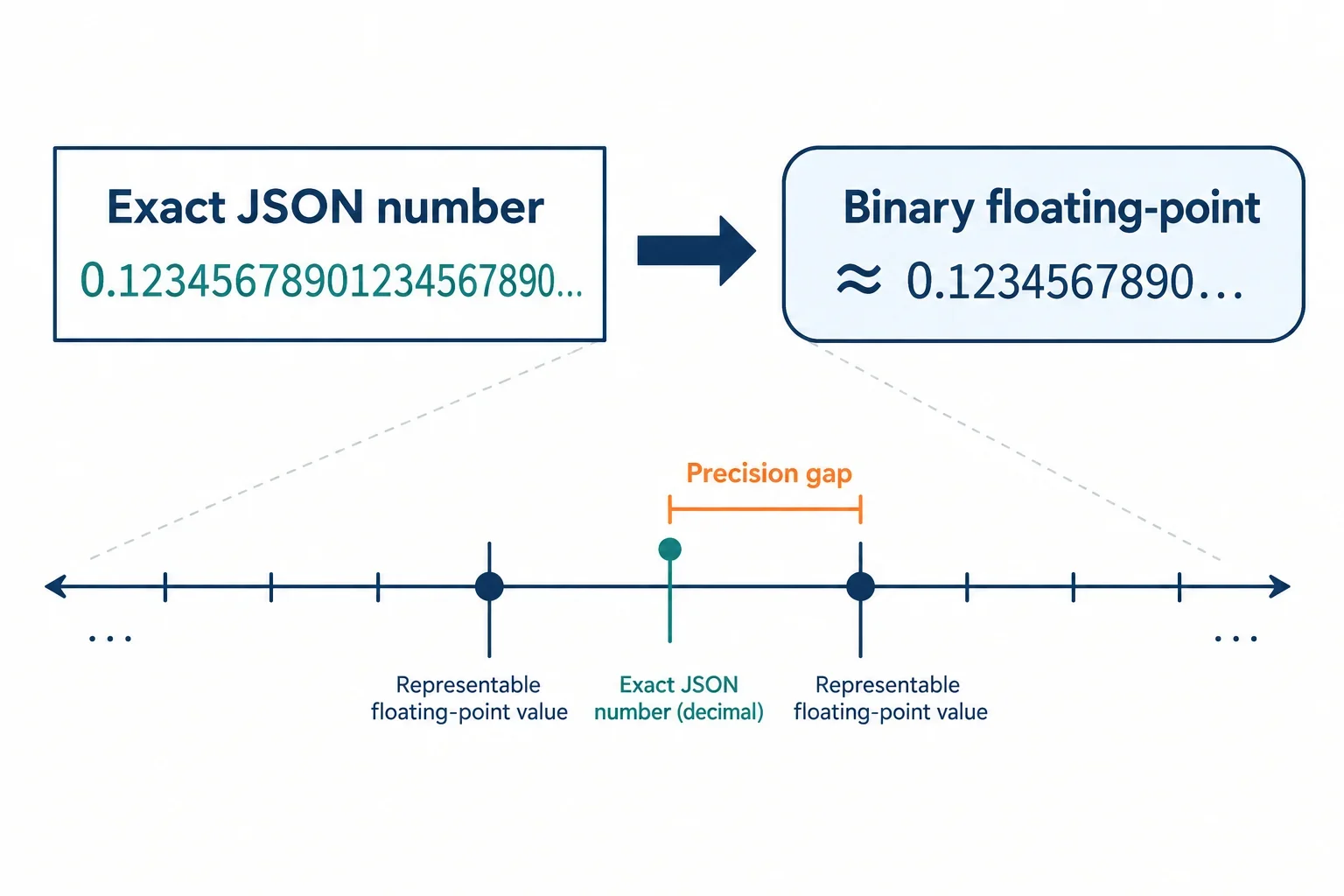
A JSON number token such as 9007199254740993 is just text: a sequence of digits that can be read exactly. A JavaScript Number is a binary64 floating-point value, and beyond 2^53 – 1 it cannot represent every integer exactly. When standard JSON.parse converts the token to a Number, the resulting value may no longer match the digits in the input. This is not a parser bug; it is the behavior of the number type. The mismatch matters for APIs that return large IDs, databases that store 64-bit integers, and any pipeline that expects exact numeric identity. This article explains the binary64 boundary, shows reproducible examples at and beyond 2^53, traces where precision changes across parsing and serialization, and gives practical rules for preserving large integers. It also explains how escentmachine’s inspection tools fit into a workflow that finds mismatches instead of hiding them.
Opening: JSON text is not the same as a JavaScript value
A JSON document is text. A number token such as 9007199254740993 is exact because it is a sequence of characters, not a floating-point value. Many JavaScript parsers, including standard JSON.parse, convert that token into a Number using IEEE 754 binary64. That conversion can round integers above the safe-integer boundary.
The distinction is easy to miss because the JSON looks correct and the parsed value still looks like a number. A round-trip can reveal the change:
JSON.stringify(JSON.parse('{"id": 9007199254740993}'))
// '{"id":9007199254740992}'
The input token was exact. The output token is not the same. With standard JSON.parse, a reviver receives the already-converted Number, so it cannot recover the original decimal digits.
escentmachine’s stated direction is to inspect data and find the mismatch rather than silently repair it. For precision work, that means making the conversion visible and treating the original token and the parsed value as different facts. The rest of this guide explains where that difference comes from and how to design around it.
IEEE 754 binary64 and the 53-bit integer limit
JavaScript’s Number type is a double-precision floating-point value. In IEEE 754 binary64, it has one sign bit, eleven exponent bits, and fifty-two stored significand bits. With the implicit leading bit, that gives fifty-three bits of precision for normal values. As a result, every integer from -(2^53 - 1) through 2^53 - 1 can be represented exactly. The upper boundary is 9007199254740991, also available as Number.MAX_SAFE_INTEGER.
Above that boundary, not every integer is representable. The spacing between representable values grows as the exponent increases. At 2^53, the next representable integer is 2^53 + 2, so an odd integer such as 9007199254740993 falls into a gap and is rounded to a neighboring representable value. This is why the safe-integer range is described as Number.MIN_SAFE_INTEGER through Number.MAX_SAFE_INTEGER, and why Number.isSafeInteger is the direct JavaScript check.
A larger integer can still be an integer after parsing, but it is not safe: it may not be the integer you intended. That difference matters for IDs, counters, timestamps stored as integers, and database keys. JSON itself does not force a parser to use binary64. The precision limit comes from the number type that the parser chooses. When that type is JavaScript Number, the safe-integer boundary applies.
Runnable examples at and beyond 2^53
The following checks can be run in a modern JavaScript environment. They use string inputs so the examples do not depend on writing a large numeric literal in source code.
JSON.parse('9007199254740991')
// 9007199254740991

Number.isSafeInteger(JSON.parse('9007199254740991'))
// true

JSON.parse('9007199254740992')
// 9007199254740992

Number.isSafeInteger(JSON.parse('9007199254740992'))
// false

JSON.parse('9007199254740993')
// 9007199254740992

JSON.parse('9007199254740993') === JSON.parse('9007199254740992')
// true
The first value is the maximum safe integer. The second value is 2^53; it is exactly representable, but it is outside the safe range because not every neighboring integer can be represented. The third value is the important case: the token 9007199254740993 is parsed as 9007199254740992, so the original decimal digits are no longer present in the Number value.
A round-trip makes the change visible in serialized output:
const parsed = JSON.parse('{"id": 9007199254740993}');
parsed.id
// 9007199254740992

JSON.stringify(parsed)
// '{"id":9007199254740992}'
After standard parsing, there is no general way to reconstruct the original token from the rounded Number. The example demonstrates the loss; it does not demonstrate a repair.
Where precision changes: parse, reviver, stringify, compare, canonicalize
Precision can change at several stages, and each stage has a different role.
Parse. Standard JSON.parse reads a number token and produces a JavaScript Number. This is the most common place where an integer above 2^53 - 1 is rounded. Once the conversion happens, later code sees the converted value.
Reviver. A reviver is called after the parser has already converted each number token to a Number. It receives the rounded value, not the original token text. A reviver can transform the value, but it cannot recover digits that the parser did not preserve:
JSON.parse('{"id": 9007199254740993}', (key, value) => value)
// { id: 9007199254740992 }
Stringify. JSON.stringify serializes the Number value it receives. If that value was rounded during parsing, the output shows the rounded value. Serialization does not restore the original token.
Compare. A comparison that first parses values into binary64 inherits the same rounding. Exact-decimal comparison avoids binary64 conversion and compares the decimal value represented by each token. Under exact-decimal comparison, 1e3 and 1000 have the same numeric value, 1.0 and 1 have the same numeric value, and 9007199254740993 remains different from 9007199254740992. Lexical spelling can still differ, but exact-decimal equality is based on value.
Canonicalize. Canonicalization is not a precision-recovery step. JCS and I-JSON are interoperability profiles with their own number rules; I-JSON in particular advises against JSON numbers outside the exact binary64 range and points large integers toward strings. A canonicalization scheme may normalize number spelling or impose profile constraints, but the exact rules belong to the scheme’s official specification. Do not assume that canonicalization will restore a large integer if an earlier parser already rounded it. If your pipeline uses a canonicalization or interoperability profile, check that specification directly and make the number representation part of your contract.
Preserving IDs and large integers
The safest general strategy is to decide, explicitly, which fields are numbers and which are string-encoded integers. Do not let the parser decide silently.
JSON strings. A large ID can be represented as a JSON string:
{"id": "9007199254740993"}
The consumer must know that the field is a string-encoded integer and convert it to BigInt or a decimal type when needed. The schema should declare type: string and a pattern such as ^-?[0-9]+$. This avoids binary64 conversion at parse time, but it changes the JSON type. Producer, consumer, storage, and API documentation must agree on that change.
BigInt with custom serialization. JavaScript BigInt can hold an integer exactly, but JSON.stringify does not serialize BigInt values directly. A toJSON method or replacer can convert the value to a string before serialization:
function replacer(key, value) {
  if (typeof value === 'bigint') return value.toString();
  return value;
}

JSON.stringify({ id: 9007199254740993n }, replacer)
// '{"id":"9007199254740993"}'
The JSON now contains a string. That is the point: the consumer and schema must agree that the field is string-encoded.
Decimal-preserving parsers. Some JSON libraries can parse number tokens into exact decimal types instead of binary floats. For example, Python’s json module can use parse_float=decimal.Decimal, so 1.1 is kept as Decimal('1.1'). This preserves the exact decimal value at parse time, but it does not solve the problem for a JavaScript client that later parses the serialized number as binary64.
Lossless JSON libraries. Lossless JSON libraries can preserve number tokens or return a special numeric representation for values outside the safe range. They are useful when the receiving process needs exact arithmetic, but they add a dependency and require every participant in the pipeline to understand the representation.
Schema contracts and database types. Use database types such as BIGINT, DECIMAL, or NUMERIC when the storage layer needs exact integers or exact decimals. When exposing those values as JSON, choose number or string deliberately. If the consumer is JavaScript and the value can exceed 2^53 - 1, a string field is the least surprising contract. If you control both producer and consumer, a lossless parser can work, but document it clearly.
Decision rules:
- Use JSON numbers only when every consumer can represent the value exactly and the schema defines the safe range.
- Use JSON strings for IDs and large integers that must survive JavaScript parsing unchanged.
- Use
BigIntor decimal libraries for exact arithmetic, with custom serialization that makes the wire format explicit. - Use schema validation and database types that match the chosen wire representation.
- Never rely on a rounded value being repaired later.
Duplicate keys, invalid numbers, and strict parsing
Precision is not the first problem to solve. Strict JSON validation must catch syntax errors and ambiguous constructs before numeric conversion matters.
Duplicate keys. Duplicate keys in an object create ambiguity. Different parsers may keep different values, and silent overwriting can hide a data problem. A strict tool or schema should reject duplicates or report them explicitly; it should not silently choose one value and present the result as unambiguous.
Invalid numbers. Strict JSON rejects leading zeros such as 0123, a decimal point with no following digit such as 1., NaN, Infinity, comments, and trailing commas. These are syntax errors, not precision issues. They should be reported before any numeric conversion. A parser that accepts them is implementing an extension; it should be described that way rather than as strict JSON.
Why strictness matters. If one tool accepts comments or trailing commas and another rejects them, the same document can behave differently across a pipeline. For data interchange, use a strict parser and report errors with enough detail to fix the input. Precision handling comes after the document is syntactically valid.
Using escentmachine JSON Inspector and JSON Compare
escentmachine’s JSON Inspector and JSON Compare are built for inspection rather than silent repair. The product description emphasizes local browser processing: inputs are not uploaded, and user input is not executed as code. That matters for precision work because you can examine a document without turning it into a different value as a side effect.
Use the inspector to check whether the JSON text is syntactically valid and to examine number tokens that may be IDs or large integers. Use the comparator to decide whether two documents differ in value or only in spelling. Exact-decimal comparison is the right model when 1e3 and 1000 should be treated as the same numeric value while 9007199254740993 and 9007199254740992 should remain different.
If a tool reports a duplicate key, an unsafe integer, or another mismatch, read the report as a prompt to inspect the contract. Do not treat a report as permission to rewrite the value silently. The exact wording and layout of those reports are product details; the important behavior is that the mismatch is made visible and that no rounded value is presented as if it were the original token. Client-side inspection cannot recover a value that was already rounded upstream.
Test plan and expected outputs
Use these checks to verify the examples and the behavior of your own pipeline.
| Test | Input | Expected result |
|---|---|---|
| Safe integer | 9007199254740991 |
Parses exactly; Number.isSafeInteger is true. |
| First unsafe boundary | 9007199254740992 |
Parses exactly as 2^53, but Number.isSafeInteger is false. |
| Unsafe odd integer | 9007199254740993 |
Standard JSON.parse produces 9007199254740992; equality with parsed 9007199254740992 is true. |
| String ID | "9007199254740993" |
Remains the exact string; no numeric rounding occurs. |
| BigInt serialization | JSON.stringify({ id: 9007199254740993n }, replacer) |
Outputs '{"id":"9007199254740993"}' when the replacer converts BigInt to string. |
| Duplicate key | {"a":1,"a":2} |
A strict parser or inspector policy should reject or explicitly report the duplicate; silently keeping one value is not acceptable. |
1e3 versus 1000 |
Two JSON documents with these tokens | Exact-decimal comparison treats them as equal in numeric value; lexical spelling may differ. |
| Large integer comparison | 9007199254740993 versus 9007199254740992 |
Exact-decimal comparison reports a difference; binary64 comparison can collapse them. |
| Malformed number | 1. |
Reports a JSON syntax error before numeric conversion. |
These checks separate syntax errors, safe-integer boundaries, string contracts, and exact-decimal comparison. Run them in order so a syntax failure is not mistaken for a precision failure.
Limits and honest caveats
JSON itself does not define a precision limit for number tokens; it defines syntax. The limit comes from the number type used by a parser. JavaScript’s Number uses binary64, so integers beyond 2^53 - 1 can round. Other languages and libraries may use different number types, which is why precision policy has to be agreed across producer, consumer, storage, and API boundaries.
Client-side inspection cannot recover a value that was already rounded before the input reached the tool. If a parser has converted a token to binary64 and only the Number value remains, standard JavaScript cannot reconstruct the original decimal digits. Inspection can show the token present in the input and compare exact decimals, but it cannot reverse rounding that happened upstream.
Decimal fractions have a related issue: values such as 0.1 are not exactly representable in binary64. If exact decimal arithmetic is required, use a decimal type, a decimal-preserving parser, or a string-encoded decimal contract. Do not assume that a JSON number will behave like a decimal currency value.
Finally, do not rely on canonicalization, a reviver, or a schema validator to repair precision after the fact. Decide the representation first, document it in the schema, validate it at the boundary, and use tools that show mismatches instead of hiding them.