On this page
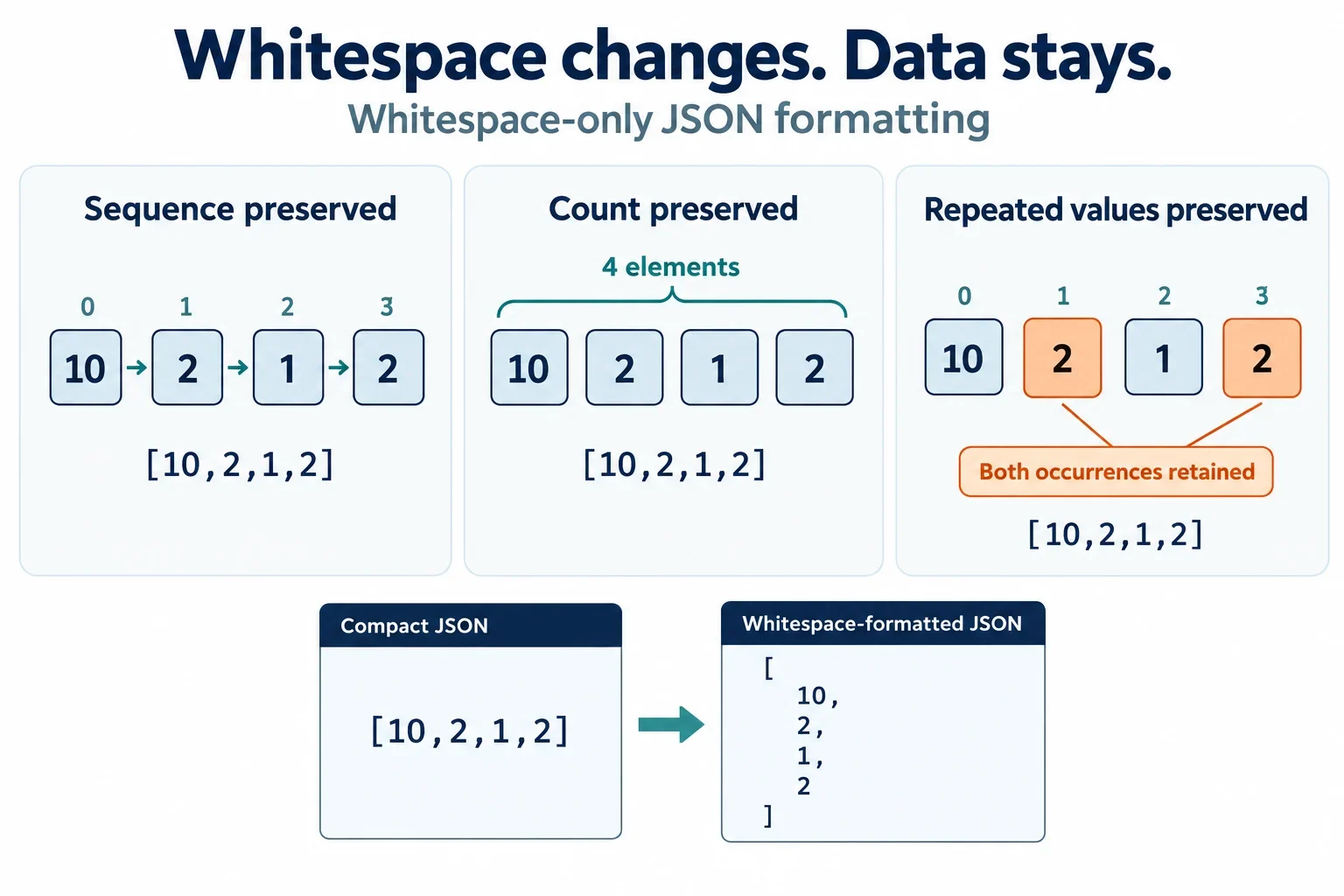
No. JSON formatting that changes only indentation and line breaks preserves array element order. If an array starts as [10,2,1,2], its formatted version should still contain those four values in exactly that sequence, including both occurrences of 2.
If a tool appears to change the order, compare the original input with its exported JSON first. Then investigate sorting, transformations, and the tree viewer’s display. These checks answer different questions: whether array elements moved, whether object keys were rearranged, and whether values changed during processing. The examples below make those distinctions concrete without assuming that a particular product behaves in a particular way.
What formatting preserves
Formatting changes how JSON is laid out for reading. Under a whitespace-only change, the array’s positional structure stays intact. A compact array and a version spread across several lines should therefore agree on three things:
- Sequence: each element remains at its original index.
- Length: the array contains the same number of elements.
- Repetition: repeated values remain present in their original positions.
These checks are related, but none should replace the others. An output can have the correct length while putting values in different positions. It can also retain the same distinct values while losing a repeated occurrence.
Array positions and object keys are separate checks
Consider an object at array index 0: {"id":"A","value":10}. If its keys are displayed as {"value":10,"id":"A"}, that alone does not show that the object moved. To investigate array order, check whether the same object content remains at index 0, then check the following positions.
Property sorting is a separate operation worth recognizing. JCS, for example, uses deterministic property sorting when producing a canonical representation. Seeing object properties rearranged is therefore a reason to inspect the processing settings; it is not evidence by itself that array elements changed positions.
For arrays containing objects, keep two questions explicit: did the objects move within the array, and did the properties inside those objects change order? Combining those questions into one text comparison can make a harmless key-order difference look like an array problem.
Before and after: unchanged array positions
Start with this compact input:
{"items":[10,2,1,2]}
The following is an illustrative expected result when formatting changes indentation and line breaks:
{
  "items": [
    10,
    2,
    1,
    2
  ]
}
The extra lines make the array easier to inspect, but they do not assign its elements new positions. Track the indices directly:
| Array index | Input value | Formatted value |
|---|---|---|
| 0 | 10 | 10 |
| 1 | 2 | 2 |
| 2 | 1 | 1 |
| 3 | 2 | 2 |
The first 2 remains at index 1, and the second remains at index 3. Neither is removed merely because the values match. The array still has four elements.
This example also shows why checking only whether the output contains 10, 2, and 1 is insufficient. That check would overlook both position and repetition. Read each position against the corresponding input position, including the final element, rather than treating the array as a collection of distinct values.
Use this expected result as a comparison fixture. If an actual export differs, record the first index where its value no longer matches the table.
A runnable check with expected output
Run this JavaScript example to check the small-integer fixture:
const input = '{"items":[10,2,1,2]}';
const output = JSON.stringify(JSON.parse(input), null, 2);
console.log(JSON.stringify(JSON.parse(input).items) === JSON.stringify(JSON.parse(output).items));
Expected console output:
true
The example parses the input, produces indented output, and then compares serialized versions of the two items arrays. For this fixture, those arrays contain the same small integers in the same order, so the comparison evaluates to true.
What this result establishes
The check covers this fixture’s scalar sequence, including its length and both occurrences of 2. It avoids comparing the full input and output text, which would differ because the output contains indentation and line breaks.
It does not establish that every possible value survives every parser or processing pipeline unchanged. In particular, this small-integer example does not test number rounding, duplicate-key handling, or the behavior of an external formatter. Those concerns need their own checks.
To investigate an existing tool, compare against the output it actually exported. Keep the original input fixed and substitute the exported text for the candidate output in your check. Regenerating the candidate with the same example code would test that code again, rather than explain what happened inside the tool.
If the comparison returns false, inspect the arrays position by position. A failed comparison establishes a difference in this scalar sequence; it does not identify which operation caused it.
Recognize sorting and other array changes
Sorting produces a different sequence from the expected formatting result. For the example array, compare these outcomes:
| Operation or expected behavior | Result |
|---|---|
| Formatting only | [10,2,1,2] |
| Numeric sorting | [1,2,2,10] |
| Lexicographic sorting | [1,10,2,2] |
The two sorted outputs differ from each other as well as from the original. A result matching either pattern is a useful clue when inspecting settings or transformation steps. It does not prove that a particular sorting operation ran: another transformation could produce the same visible output.
Check more than the first mismatch
Begin with array length. If the output has fewer or more elements, reordering alone cannot explain the complete difference. Investigate whether processing removed or inserted elements, possibly alongside other changes.
Next, count repeated values. The original contains two occurrences of 2. If the output contains only one, that is another change to investigate even if the remaining values appear sensibly ordered. Filtering and deduplication are relevant pipeline steps to check, without assuming either was responsible.
Finally, compare positions. Equal lengths and matching repeated-value counts can still accompany a changed sequence, as both sorting examples demonstrate. Conversely, equal length does not rule out replacement: an element could have been replaced while the total stayed at four.
At the first differing index, ask whether a value appears elsewhere in the output, disappears entirely, or has been replaced by a different value. Use that observation to guide the next inspection. With repeated values, the visible sequence alone may not tell you which individual occurrence moved, so avoid claiming a more specific edit history than the evidence supports.
Find the first step that changes the sequence
The most useful debugging result is the boundary where the array first changes. Compare saved inputs and outputs at successive processing steps, rather than inferring the cause from the final display alone.
- Compare the original input with exported JSON. Save the exact text from both ends of the operation. Check the relevant array’s length, repeated-value counts, and positions. This establishes whether the exported sequence actually differs.
- Locate the first differing array index. Record a concrete location such as
items[1], together with the input and output values. Continue through the array so that additional changes are not hidden behind the first mismatch. - Inspect intermediate results. Where the pipeline exposes them, compare the array before and after each processing step. Find the earliest adjacent pair that differs. That narrows the investigation to a specific stage.
- Review the operations at that stage. Check sorting settings, transformation callbacks, filtering, and deduplication. Also check whether a transformation happens before serialization. A formatter’s final output may reflect data that an earlier step already changed.
- Compare the tree preview with the export. If the exported sequence matches the original but the preview appears different, investigate the viewer’s presentation. If the export also differs, investigate the data-processing path.
Follow nested arrays by index
For nested data, repeat the positional comparison at every array you encounter. An unchanged outer array does not establish that an inner array retained its sequence. Record the nested location where the first difference appears so the result is reproducible.
For objects encountered along the way, compare corresponding properties separately from their displayed key order. This lets you distinguish an object remaining in place with rearranged keys from an object moving to another array index.
If intermediate results are unavailable, reduce the input to a small example that still exhibits the change. Preserve repeated elements or nested arrays when they are relevant to the symptom. A compact reproduction makes the expected positions easier to inspect and gives you a concrete input-output pair to report.
Check value preservation separately
Unchanged array positions do not guarantee unchanged values, and neither guarantees identical text. Treat layout, sequence, and value preservation as separate results in your investigation.
Number parsing can change a value
Number values can undergo rounding during parsing and serialization. An element may remain at the same array index while its numeric value changes during that processing. An order check alone would not explain the problem.
Do not describe double-precision behavior as a universal rule for JSON numbers. Check the particular parser or processing environment and compare its actual numeric output with the input. Ask how it handles values whose precision matters to your application, then verify that behavior using an appropriate example.
The runnable example above deliberately uses small integers. Its expected true result is useful evidence about that fixture’s sequence, but it does not answer questions about other numeric inputs.
Verify duplicate-key handling explicitly
Duplicate object keys raise a separate processing question. Check the tool’s documented handling and actual output rather than assuming a policy. Useful questions include whether duplicates are reported, whether the input is accepted, and what exported result follows when duplicates are present.
A surrounding array could retain all its positions while processing changes the object content at one of those positions. Record that as a value or object-content concern rather than treating every difference as array reordering.
Avoid confusing serialized object text with array movement
For arrays of objects, directly comparing serialized object strings can flag a difference caused solely by internal key order. Compare array elements at corresponding indices, then inspect their object content while assessing key order separately.
A useful report states the exact input, exported output, first differing location, and observed kind of change. For example, “the array sequence changed at items[1]” is more actionable than “formatting changed my JSON.” If the sequence stayed intact but a number changed, describe that value change explicitly.