On this page
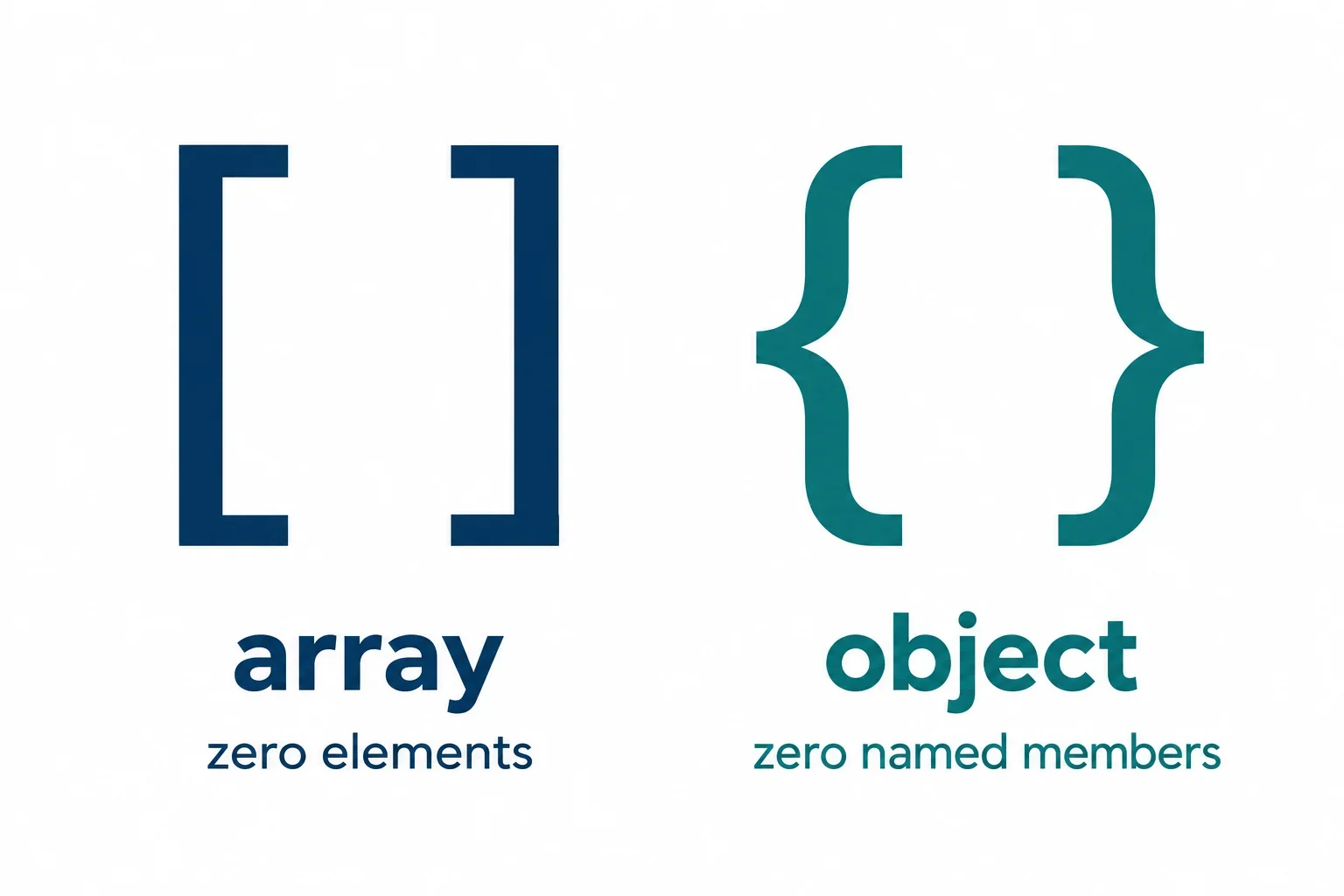
[] represents an empty JSON array: a list with no elements. {} represents an empty JSON object: an object with no name-value members. Both are empty, but they describe different structures. Choose between them according to the container the receiving code requires.
To investigate a mismatch, keep three checks separate: parse the JSON text, identify the resulting container, and then check whether that container is empty. Afterward, compare the value with the API contract at the affected field. The examples below show the distinction between incoming text, parsed values, and outgoing text. All API scenarios are hypothetical.
Recognize the two empty containers
JSON supports arrays and objects. An array holds elements, while an object associates property names with values. Those structures remain different when neither contains any entries.
| JSON text | Structure | What is empty? |
|---|---|---|
[] |
Array | The array has no elements. |
{} |
Object | The object has no name-value members. |
{"items": []} |
Object containing an array | The array at items is empty. |
{"items": {}} |
Object containing an object | The object at items is empty. |
The last two examples locate the difference precisely. Each outer object has an items member, so neither outer object is empty. Their nested values have different container types, even though both nested containers are empty.
Read the structure at the affected field
An object property connects a name to a value. An element of a parsed JSON array is accessed using an array index. When reviewing a payload, ask whether the relevant value is intended to be a list of elements or an object with named properties.
For example, in {"items": []}, the name items belongs to the outer object. The brackets describe the value associated with that name. Keeping those two levels separate helps prevent a check of the outer object from obscuring the nested container.
JSON property names must be double-quoted strings, as shown by "items". Preserve those quotation marks when preparing a JSON example for someone else to inspect. A small, complete example makes the intended shape easier to discuss than an isolated description such as “the empty value.”
Parse JSON text before checking its type
Begin with the exact text received by the application. JavaScript provides JSON.parse() to convert JSON text into a native value. Keep the original text and the parsed value conceptually separate throughout the investigation.
const list = JSON.parse("[]");
// Expected value: [] — an empty array

const record = JSON.parse("{}");
// Expected value: {} — an empty object
The arguments here are JavaScript strings containing JSON text. The variables receive the values represented by that text. Apply your container check to the parsed value, and retain the input text when you need to explain what arrived.
Quotation marks change the represented value
Compare the array example with JSON text that contains a quoted string:
const bracketText = JSON.parse('"[]"');
// Expected value: "[]" — a string containing brackets
In this example, the brackets are string content. The complete JSON input includes the quotation marks around them. Treat this case separately when deciding whether a field contains the required container.
A useful debugging note records both representations: “The input text was "[]"; the parsed value was a string containing brackets.” That is more precise than saying the application “received an empty array.”
If parsing cannot complete, investigate the input syntax before proceeding to container validation. If parsing completes, continue to the type question. This order gives each failure a clear place in the investigation and avoids changing an emptiness check when the real issue concerns the input representation.
Use an array check to distinguish the containers
After parsing, identify the container before examining its contents. For a field that requires an array, confirm that the parsed value has an array structure. An empty object still has a different structure, even when there are no entries to inspect.
The following cases describe the distinctions your application’s documented container check needs to preserve:
| JSON text being parsed | Represented value | Classification needed for an array requirement |
|---|---|---|
[] |
An empty array | Array |
{} |
An empty object | Object |
null |
The primitive value null |
Separate from either container |
"[]" |
A string containing brackets | String |
JSON permits null as a primitive value. Handle it separately when deciding whether a field supplies the required container. Likewise, the string containing brackets remains a string after parsing; its appearance does not supply an array.
Verify the check your application uses
Before choosing a JavaScript implementation, consult its documentation for the specific operation used to identify arrays. Ask whether it distinguishes arrays from objects, how it handles null, and whether it examines the parsed value rather than the original input text.
Use the cases above as review examples for that documented behavior. Record the observed classification beside the required classification so any discrepancy is explicit.
Keep object checks in this investigation scoped to values parsed from JSON. The immediate question is whether the affected value represents an array, an object, or a separate JSON value. Once that question is resolved, continue to the contents check.
Check emptiness after checking the container type
Emptiness describes the contents of an identified container. For an array, inspect whether it contains any elements. For an object parsed from JSON, inspect whether it contains any name-value members. Keep the container classification alongside that observation.
| JSON value | Container being inspected | Contents at that level | Empty at that level? |
|---|---|---|---|
[] |
Array | No elements | Yes |
{} |
Object | No named members | Yes |
{"items": []} |
Outer object | An items member |
No |
{"items": {}} |
Outer object | An items member |
No |
The first two rows show why an emptiness result alone cannot settle the container question: both containers are empty. A report that says only “empty” leaves out the distinction needed to determine whether the value has the required structure.
Inspect the correct level
In {"items": []}, the outer object contains a member, while the array associated with items contains no elements. In {"items": {}}, the outer object also contains a member, while the nested object contains no named members.
If the issue concerns items, record the container and contents at that field. Inspecting the outer object answers a different question and can obscure the value that needs attention.
For example, a review note for {"items": {}} could say: “At items, the observed container is an object, and it has no named members.” This describes both aspects without assuming what the receiving API accepts.
Keep special cases separate
Ask how the field’s requirements handle an absent property, a property whose value is null, and a property containing the string "[]". Resolve those cases individually before choosing a replacement value.
For error reporting, identify a container mismatch first. Once the required container is present, evaluate whether empty contents are permitted. This keeps the correction tied to the actual requirement.
Match the container required by an API
Consider a hypothetical API contract in which items must contain an array and an empty array is permitted. Under those stated requirements, the two payloads below have different outcomes.
| Hypothetical payload | Valid JSON syntax? | Meets the stated requirement at items? |
|---|---|---|
{"items": []} |
Yes | Yes: items contains an array. |
{"items": {}} |
Yes | No: items contains an object. |
Both examples represent JSON. The difference concerns the type required at a particular field. Successful parsing therefore leaves a separate question to answer: does the parsed structure satisfy the hypothetical contract?
Inspect the nested value directly
You can prepare the first payload for inspection with:
const payload = JSON.parse('{"items": []}');
// Expected value: an object whose items member contains []
Apply the documented container check to the value associated with items. Checking only the outer object would address a different part of the payload.
Before replacing either empty container, establish four details: the affected field, its required type, whether empty contents are permitted, and the actual container supplied. Ask separately how the contract treats an absent property or null when those cases matter.
Under a different hypothetical contract requiring an object at items, {"items": {}} would provide that container. The field requirement determines the choice; neither empty spelling is a universal repair.
A useful error explanation names the mismatch directly. For the hypothetical array requirement, write: “The items field requires an array; the supplied value is an object.” If emptiness is also restricted, report that requirement separately after confirming the type. This gives the reader a specific correction to investigate without confusing syntax, structure, and permitted contents.
Check that serialization preserves the intended shape
After selecting and validating the container, inspect the text prepared for output. JavaScript provides JSON.stringify() to convert native values into JSON text. These direct examples show the expected serialized forms of the two empty containers:
JSON.stringify(JSON.parse("[]"));
// Expected string: "[]"

JSON.stringify(JSON.parse("{}"));
// Expected string: "{}"
The quotation marks in these comments describe string results. The text contained in each result represents either an empty array or an empty object.
Keep these small examples available when investigating a larger payload. They provide a clear expected shape without involving unrelated fields or application decisions.
Find the boundary where the shape differs
If outgoing text contains an object where a field requires an array, inspect that same field immediately after parsing, after application transformations, and immediately before serialization. Record the observed container at each boundary.
Investigate defaults and replacement logic as possible causes. Does application code choose a new empty container when no entries are available? Does a payload-building step assign a different value to the affected field? These questions identify code to review without assuming how the application behaves.
For the hypothetical API that permits an empty array at items, retain {"items": []} as the expected structural example. Compare the outgoing value at that field with the requirement. Formatting differences are secondary to whether the field contains the intended container.
Finish the investigation with a concrete record: the required shape, the observed shape, and the first boundary where they differ. That connects the correction to a specific input or transformation and makes the resulting output straightforward to review.