On this page
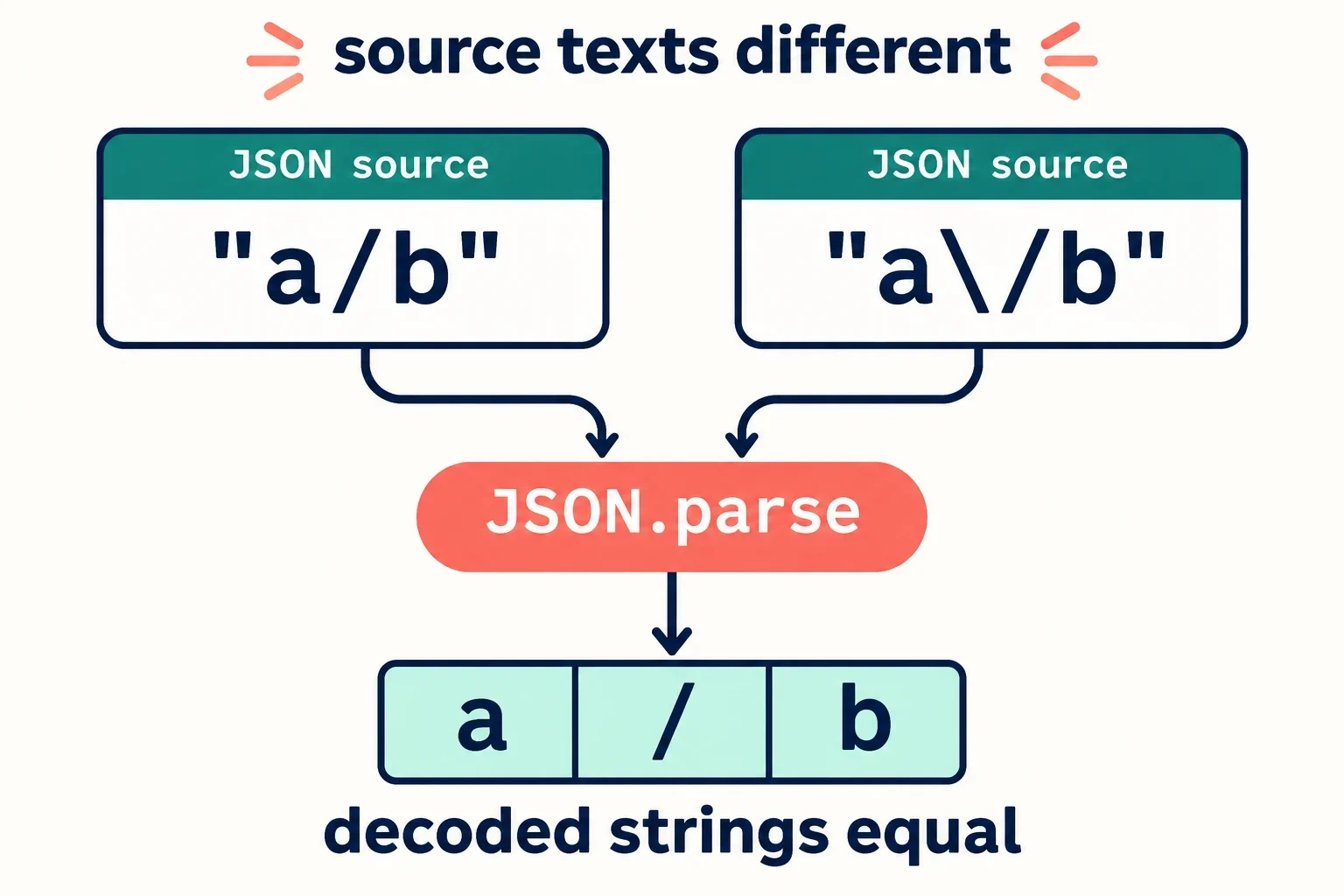
Escaping a forward slash changes the serialized JSON text while preserving the parsed string value. The JSON inputs "a/b" and "a\/b" contain different source characters, but both decode to a/b. Forward-slash escaping is permitted and optional in JSON.
That distinction explains how two comparisons can produce different answers without either being wrong. Comparing the original JSON text reveals an extra backslash. Comparing the decoded strings reveals the same sequence of characters. The useful result depends on whether your application requires identical text or equal represented values.
The examples below separate those requirements using explicit JSON inputs and language-neutral comparisons. They also show a case where a backslash belongs to the decoded data, explain what to check during a serialization round trip, and provide a way to trace an apparent mismatch through its surrounding representations.
Different JSON text, equal parsed strings
JSON text is a serialized representation of a value. Its written characters describe that value, so a difference in the representation does not necessarily indicate a difference in the value itself.
Consider these two complete JSON inputs:
"a/b"
"a\/b"
The second input contains a backslash immediately before the forward slash. Together, \/ is the escaped representation of a forward slash. After JSON parsing, that escape represents the same slash character written directly in the first input.
| JSON input text | Characters between the source quotes | Decoded string |
|---|---|---|
"a/b" |
a, forward slash, b |
a/b |
"a\/b" |
a, backslash, forward slash, b |
a/b |
A JSON string is a sequence of Unicode characters. For both examples, the decoded sequence contains three characters: a, a forward slash, and b. The backslash in the second source representation participates in the escape spelling. It adds no backslash to the decoded sequence.
State which equality matters
If you are reviewing the exact output of a producer, the additional backslash is a real textual difference. If you are checking whether the two inputs represent the same string value, their decoded strings are equal.
A useful report records both observations: “The JSON text differs; the decoded strings are equal.” Include the original inputs so someone reviewing the report can see which characters were compared.
Escaping the slash in this example is permitted JSON syntax. The presence of that escape alone is therefore no reason to treat the second spelling as a violation.
Run a comparison that preserves the input characters
Start by preserving the exact JSON text you want to compare. The test depends on one input containing a source backslash and the other containing none. If that distinction disappears before parsing, the comparison is answering a different question.
Use these two inputs as separate JSON documents:
Input A: "a/b"
Input B: "a\/b"
The labels identify the examples; they are not part of either JSON document. Supply only the quoted text to your chosen JSON parser.
Compare before and after parsing
First, compare the original input characters. Input A has a direct forward slash between the letters. Input B has a backslash followed by a forward slash. The source texts differ.
Next, parse each JSON document once and compare the decoded character sequences. Both should contain a, forward slash, and b.
| Comparison | Expected result |
|---|---|
| Input A text equals Input B text | No |
| Decoded A equals decoded B | Yes |
| Decoded A contains a backslash | No |
| Decoded B contains a backslash | No |
These expectations describe the supplied inputs and JSON slash escaping. They do not depend on a particular programming-language API.
Verify the parser actually receives those inputs
If your test requires embedding the JSON in a programming-language string literal, verify the characters produced by that enclosing notation. Consult the language’s documentation for the appropriate way to preserve the intended input. Do not assume that visible source code and the text supplied to the JSON parser are identical.
Record the original JSON text, the actual parser input, and the decoded characters separately. If the parser inputs already match, investigate how the test constructed them. If they retain the intended difference, proceed to the decoded comparison. This makes the example reviewable without relying on an undocumented language-specific shortcut.
Recognize when the backslash is actual data
Optional slash escaping does not make every backslash near a slash disposable. A backslash can belong to the decoded string, and removing it changes the represented value.
Compare these two JSON inputs:
"a\/b"
"a\\/b"
The first input contains one source backslash before the slash. The second contains two. Their decoded character sequences differ:
| JSON input text | Decoded characters, in order | Decoded character count |
|---|---|---|
"a\/b" |
a, forward slash, b |
3 |
"a\\/b" |
a, backslash, forward slash, b |
4 |
In the first input, \/ represents the forward slash. In the second, the pair of backslashes represents a backslash in the decoded value, followed by a forward slash. The second decoded string therefore contains an additional character.
The character lists make the distinction explicit without requiring another quoted representation of the decoded values. For this comparison, the source texts differ and the decoded strings also differ. The mismatch survives JSON parsing.
Check the intended data before changing the text
A blanket operation that deletes source backslashes can erase this distinction. Both inputs might then look like the direct-slash example, even though one originally represented a backslash as actual data.
Before changing either input, establish which decoded sequence the producer intended. Should the value contain only a forward slash between the letters, or a backslash followed by a forward slash? If the requirement is unclear, ask the producer to specify the expected characters.
Use that expected sequence as the acceptance condition. A shorter or more familiar-looking JSON spelling is not evidence that a transformation preserved the data. For this counterexample, treating both inputs as equivalent would conceal the extra decoded backslash.
Check what a serialization round trip preserves
A parse-and-serialize round trip needs two separate checks: whether the represented string survives, and whether the output retains the original text. Record both results so the test matches the application’s requirement.
Start with this JSON input:
"a\/b"
Its decoded string is a/b. Because forward-slash escaping is optional, that value has more than one permitted JSON spelling. The following table shows how two possible output spellings compare with the original input:
| Possible serialized output | Same text as the original input? | Same decoded string? |
|---|---|---|
"a\/b" |
Yes | Yes |
"a/b" |
No | Yes |
These are comparison cases, not a prediction about a particular serializer. Inspect the output of the serializer you actually use.
Keep the value check separate from the text check
A language-neutral round-trip procedure is:
- Save the original JSON text exactly as received.
- Parse it and record the decoded character sequence.
- Serialize that decoded value and save the resulting JSON text.
- Compare the output text with the saved original text.
- Parse the output and compare its decoded sequence with the sequence recorded in step two.
For the two spellings in the table, the decoded-value comparison succeeds in both cases. Only the escaped spelling also matches the original text.
Once parsing has produced a/b, that value alone does not identify which original slash spelling was used. Both inputs lead to the same decoded sequence. Retaining only that sequence therefore loses the distinction needed to recover the original spelling.
Record the serializer and its settings
When documenting the result, identify the producer or serializer, the operation performed, and any relevant settings. If the settings are unknown, ask which configuration applied to the captured output. One observed spelling does not establish a promise about later output.
When exact text preservation is required, retain the original text for comparison. When decoded-value preservation is required, compare the parsed values explicitly. A round trip can satisfy the value requirement while changing the slash’s written representation.
Locate the layer responsible for a mismatch
Trace an apparent mismatch from the producer’s output to the final comparison. At each step, record which characters are present and what the next operation receives. This helps locate where an escape was introduced, interpreted, or displayed.
- Capture the producer’s JSON text. Preserve the input being investigated. Establish whether the slash escape is already present in that text. If you have only a displayed representation, verify what actual characters it represents before treating it as the original input.
- Inspect any enclosing programming-language literal. When JSON is embedded in source code, distinguish the surrounding language notation from the text passed to the JSON parser. Verify the parser input directly or ask how the enclosing notation constructs it.
- Examine the decoded characters. Parse each intended JSON input once. The inputs
"a/b"and"a\/b"should yield equal strings. The inputs"a\/b"and"a\\/b"should yield different strings. - Identify the final comparison’s inputs. Determine whether it receives original JSON text, newly serialized text, a displayed representation, or decoded values. Then check whether that matches the application’s requirement.
Questions that narrow the investigation
Use these questions while the captured inputs and outputs are available:
- Are the inputs being compared as JSON text or as strings after JSON parsing?
- Does the backslash belong to a JSON escape, an enclosing programming-language literal, or the decoded string?
- Does the application require equal decoded values or identical serialized text?
- Which producer or serializer introduced the slash escape?
- Does the apparent mismatch survive parsing both inputs exactly once?
The answers determine the next useful check. If the decoded strings are equal, investigate the requirement for identical text. If the decoded strings differ, compare their character sequences against the intended data. If a display disagrees with the captured parser input, inspect that representation before changing the JSON.
A clear issue report includes the original inputs, the actual parser inputs, the decoded sequences, and the comparison requirement. That gives a reviewer enough information to distinguish optional slash spelling from a meaningful change in the string.