On this page
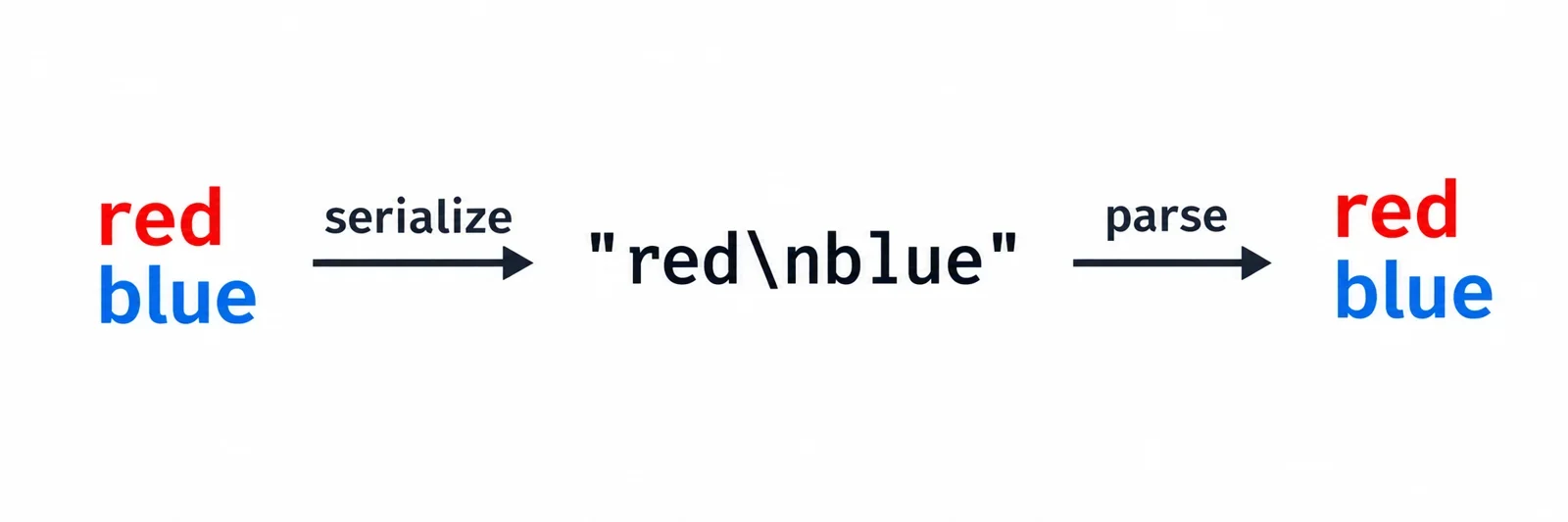
To store multiline text in JSON, pass the original string to a JSON serializer. In the resulting JSON text, a newline is represented by the escape sequence \n. Parsing that JSON recovers the newline character. Placing a raw line break directly inside a quoted JSON string makes the document invalid.
The key check is whether the recovered value contains the characters your application needs. Follow the examples below to distinguish text values from their serialized representation, understand escaping errors, and preserve line endings without manually assembling JSON. JavaScript examples include expected round-trip results; the Python example shows how multiline input becomes valid JSON text.
Distinguish the text value from its JSON representation
A message and its JSON representation can look different while carrying the same content. Follow this message through three stages before deciding whether its escaping needs repair.
1. The original text value
red
blue
The message contains a newline between the two words. That character belongs to the text value you want to store.
2. The serialized JSON text
{"message":"red\nblue"}
Inside the quoted value, the visible characters backslash and n represent the newline. The serialized document can therefore occupy one physical line while representing a message that contains two lines.
3. The value recovered after parsing
After a JSON parser reads that document, the message value contains the newline between red and blue. Displaying the recovered value as text can show those two lines again.
The distinction matters when inspecting an apparent mismatch. Are you looking at JSON source text, a debugger’s representation, or the parsed string value? Establish which layer is being displayed before counting backslashes or replacing characters.
For this example, the intended result after one parse is a message with a newline between the words. The visible \n in JSON source is the representation of that character, so its presence is consistent with preserving the original text.
Why an unescaped newline fails inside quotes
JSON strings use double quotes, and control characters within them must be escaped. A raw LF character inside those quotes makes the JSON invalid. A raw carriage return also requires escaping; its JSON escape is \r.
This JSON is valid:
{"message":"red\nblue"}
The following example is intentionally invalid because the quoted value contains a raw newline:
{"message":"red
blue"}
When a parser reports an error around a line break, inspect whether that break falls inside the string’s quotes. Changing the double quotes to single quotes does not repair standard JSON. Standard JSON also provides neither triple-quoted strings nor raw multiline-string syntax.
Newlines can format the surrounding document
Whitespace between JSON tokens serves a different purpose:
{
  "message": "red\nblue"
}
Here, the physical newlines around the property format the document. The escaped newline inside message represents content in the value. Expanding the document’s layout does not permit raw control characters inside its quoted strings.
Use the reported error position to narrow your inspection. Check the surrounding quotes, identify whether the character belongs to the message or the document layout, and then correct that specific mismatch.
Let JavaScript serialize multiline text
Keep the message as a JavaScript string and pass the containing object to JSON.stringify(). The serializer produces JSON text and handles escaping for newlines, quotes, tabs, and backslashes.
const message = "red\nblue";
const payload = JSON.stringify({ message });

console.log(payload);
console.log(JSON.parse(payload).message === message);
Expected output:
{"message":"red\nblue"}
true
In the JavaScript declaration, \n supplies the newline in message. Serialization represents that character with a JSON newline escape. JSON.parse() reads the serialized text and recovers the object. The equality comparison then checks the recovered message against the original string.
Supply multiline input with a template literal
A JavaScript template literal can also provide multiline input:
const messageFromTemplate = `red
blue`;
const payloadFromTemplate = JSON.stringify({
  message: messageFromTemplate
});

console.log(payloadFromTemplate);
console.log(
  JSON.parse(payloadFromTemplate).message === messageFromTemplate
);
Expected output:
{"message":"red\nblue"}
true
The template literal belongs to JavaScript source syntax. Its use does not change the rules governing the serialized JSON string.
Keep the original input available while investigating a mismatch. Compare the recovered field directly with that input, then inspect any transformations performed before serialization. This gives you a concrete preservation check instead of relying on how the JSON happens to look in an editor.
Use Python multiline input without changing JSON syntax
Python’s triple-quoted strings can supply multiline input to json.dumps(). The triple quotes belong to the Python program; the JSON output uses ordinary double-quoted strings with escaped newlines.
import json

message = """red
blue"""
payload = json.dumps({"message": message})

print(payload)
Expected output:
{"message": "red\nblue"}
This example shows the serialization step: a multiline Python value becomes JSON text containing the visible newline escape. Copy the JSON output when inspecting the serialized document. The Python triple-quote delimiters are part of the program that supplies the input, rather than part of the JSON representation.
The space after the colon is document formatting. It does not add a space to the beginning of the message. Likewise, the ability to write multiline input in Python does not introduce a triple-quoted string form into standard JSON.
Before adapting this example to a larger text block, check whether the input contains an intended initial newline, indentation, blank lines, or a final newline. Establish the desired text before passing it to the serializer.
For a complete application check, define what the consumer should recover and verify that value using the consumer’s parser. Keep serialization output and recovered content as separate inspection steps.
Tell a newline escape from literal backslash-n text
A newline and the visible characters backslash followed by n are different possible message contents. JSON can represent either. First determine which one the input is supposed to contain.
| JSON string source | Value after one JSON parse |
|---|---|
"red\nblue" |
red, a newline, then blue |
"red\\nblue" |
red, a literal backslash, the letter n, then blue |
Two consecutive backslashes in JSON string source encode one literal backslash. In the second row, that recovered backslash is followed by an ordinary n. The parsed value therefore contains the visible sequence \n rather than a newline at that position.
Account for a surrounding JavaScript string
Embedding JSON text in JavaScript source introduces another escaping layer. JavaScript processes its string escapes before the JSON parser receives the resulting text:
const payload = '{"message":"red\\nblue"}';
const recovered = JSON.parse(payload).message;

console.log(payload);
console.log(recovered === "red\nblue");
Expected output:
{"message":"red\nblue"}
true
The doubled backslash in the JavaScript source leaves one backslash in the JSON text. JSON then reads that backslash together with the following n as a newline escape.
Trace the layers separately: programming-language source, JSON text, and parsed value. Counting slashes without identifying the layer can lead to changing an already correct value.
Also ask whether an already serialized payload has been passed through a serializer again. Serializing JSON text treats that text as the next input value. If one parse returns a string where the consumer expects an object, inspect the serialization steps before adding another parse. Decide what one parse should recover, then make the producer and consumer agree on that result.
Preserve the line endings your application needs
Write down which characters must survive before choosing a repair. Your message may require LF, CRLF, blank lines, or a final newline. A similar-looking display is not enough to establish that those characters were preserved.
| Intended message content | JSON string representation |
|---|---|
| LF between the words | "red\nblue" |
| Carriage return followed by LF | "red\r\nblue" |
| A blank line between the words | "red\n\nblue" |
| A newline after the last word | "red\nblue\n" |
The consecutive escapes \r\n represent a carriage return followed by a line feed. Preserving that pair and intentionally converting it to LF are different application requirements.
Compare recovered characters with the input
This example covers several line-ending cases and a message containing quotes and a backslash:
const samples = [
  ["LF", "red\nblue"],
  ["CRLF", "red\r\nblue"],
  ["Blank line", "red\n\nblue"],
  ["Final newline", "red\nblue\n"],
  ["Quotes and backslashes", 'say "red"\nslash: \\']
];

for (const [label, message] of samples) {
  const payload = JSON.stringify({ message });
  const recovered = JSON.parse(payload).message;
  console.log(label, recovered === message);
}
Expected output:
LF true
CRLF true
Blank line true
Final newline true
Quotes and backslashes true
These comparisons check the recovered strings against the exact values supplied to the serializer. If the application requires normalization, make that an explicit processing decision and compare against the intended normalized value. Separately inspect any earlier processing that might have changed the original input.
Manual newline replacement is fragile because quotes and backslashes also require correct escaping. Let the serializer handle the complete value, and include representative punctuation in preservation checks.
When a long line appears to break in an editor, ask whether a newline is stored in the value or the editor is merely wrapping the display. Inspect the input characters before treating that visual break as content that needs escaping.
Separate string content from pretty printing and JSON Lines
Pretty printing adds whitespace between JSON tokens without changing the string value. You can expand a document’s layout while keeping newlines inside its strings escaped.
const message = "red\nblue";
const pretty = JSON.stringify({ message }, null, 2);

console.log(pretty);
console.log(JSON.parse(pretty).message === message);
Expected output:
{
  "message": "red\nblue"
}
true
The physical lines around the property make the document easier to read. The visible \n within the quotes continues to represent the message’s newline. The equality comparison checks that parsing the formatted document recovers the original message.
Escaping still applies in JSON Lines
JSON Lines also requires newlines embedded in string values to be escaped. A message containing a newline therefore still needs the appropriate escape inside its quoted JSON representation. Choosing JSON Lines does not permit raw control characters inside those quotes.
Before applying a formatter, confirm the consumer’s expected document format and layout requirements. If the input is intended for JSON Lines, ask what formatting that consumer accepts rather than assuming the pretty-printing example above is suitable for the entire input.
Keep two inspection questions separate: does the document layout satisfy the consumer, and does the parsed message contain the intended characters? Changing layout is useful for readability; checking the recovered value establishes whether the message was preserved.
Choose one text block or independently meaningful lines
Use a single string when the consumer needs the message as one text block. Consider an array when line order matters and each line has an independent meaning. Choose the representation according to the data contract.
A text block can be represented as:
{"message":"red\nblue"}
Independently meaningful lines can be represented as:
{"lines":["red","blue"]}
| Consumer requirement | Representation to consider | Agreement to verify |
|---|---|---|
| Recover the original message unchanged | One string | Required line endings, blank lines, and final newline |
| Address individual lines in order | An array of strings | Meaning and order of each element |
| Reconstruct original text from separate lines | An array with an explicit reconstruction agreement | How separators and the final newline are preserved |
Array elements remain JSON strings, so their contents still follow JSON escaping rules. Choosing an array does not remove the need to serialize each string correctly.
If you choose separate lines, agree on how blank lines and a final newline should be represented. Ask which separators the consumer should use if it needs to reconstruct the original text. Establish those decisions before converting an existing text field to an array.
The two examples express different expectations about how the content will be used. A consumer expecting message as a string needs agreement before receiving lines as an array.
Before sending the result, verify that the input contains the intended characters, the serialized document matches the expected format, and one parse returns the intended value and shape. Those checks connect the escaping to what the application actually needs to recover.