On this page
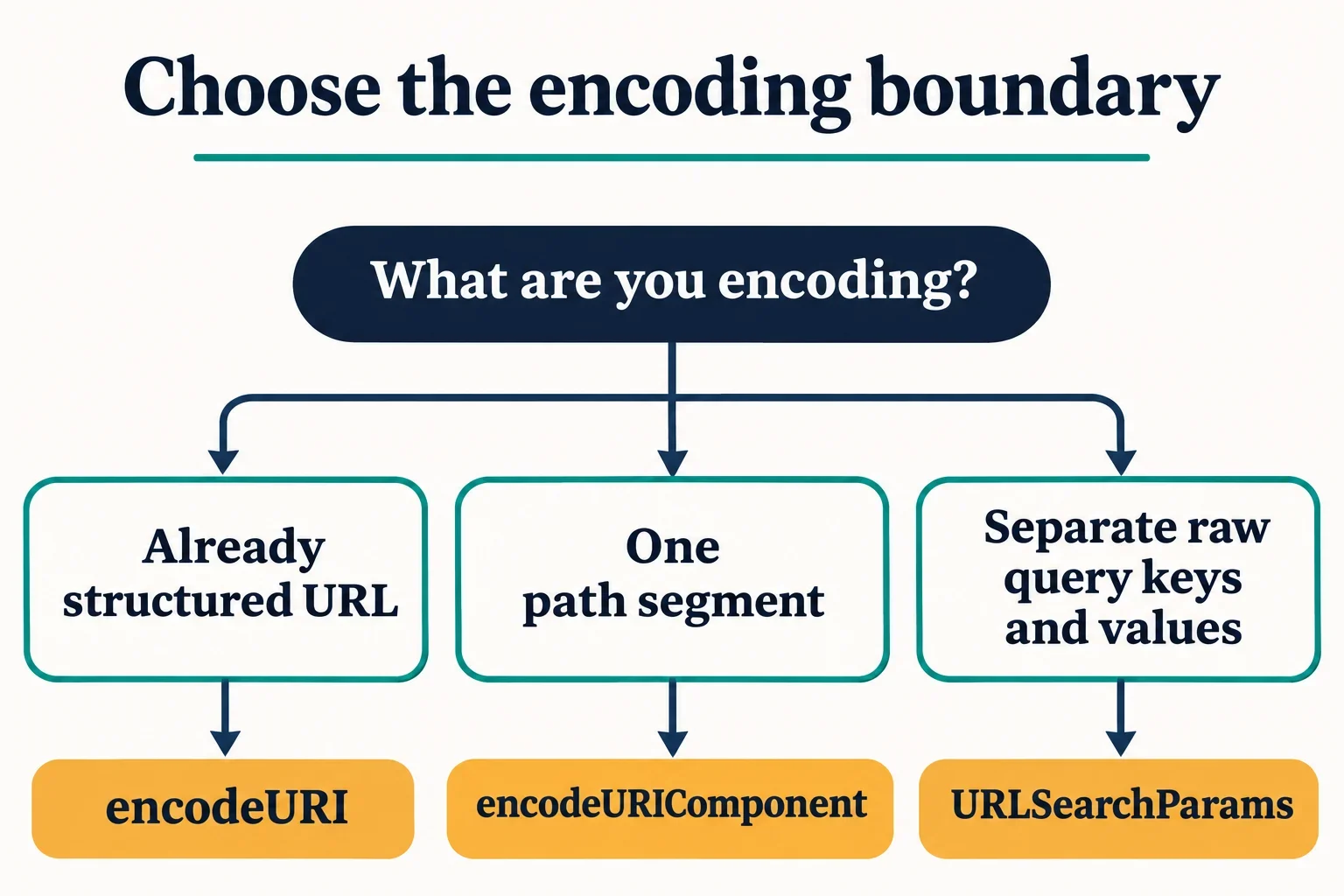
Use encodeURI() for an already structured URL when you intend to preserve its URL syntax. Use encodeURIComponent() for an individual piece of data, such as one path segment, query key or query value. Make that decision before joining raw values to structural delimiters.
The important question is what the input represents. A slash can separate path segments or belong to a single value. An ampersand can separate query fields or occur inside a search phrase. Encoding should reflect the intended boundary.
Start by writing down the raw inputs and the values the receiver should recover. Then compare those intentions with the encoded text. This approach makes punctuation, spaces, repeated parameters and additional encoding layers easier to explain. It also keeps input repair separate from successful encoding.
Choose the input boundary first
Choose the function according to the unit of input you have. An already structured URL and an individual component require different decisions about which characters carry structure.
| Input | Decision to make |
|---|---|
| An already structured URL | Use encodeURI() when the existing URL syntax should remain meaningful. |
| One path segment | Use encodeURIComponent() for the data belonging to that segment. |
| One query key or value | Encode that individual item before joining it to query syntax. |
| Several query entries | Retain their separate keys and values throughout construction. |
Consider the phrase Jack & Jill. Its ampersand belongs to the supplied text. If you concatenate that text directly into a query, an unescaped ampersand can be interpreted as the beginning of another field. The resulting parameter list may therefore differ from the intended single value.
Why encoding afterward cannot recover intent
Once raw data and delimiters have been mixed together, the combined string no longer records which punctuation came from which role. Applying an encoder to that string does not supply the missing intention.
Return to the separate inputs and rebuild the result. This gives each operation a clear responsibility: encode an individual value, then introduce the delimiters that connect it to other values. During review, identify the point where each raw input becomes part of the assembled URL.
Compare delimiter handling directly
The useful distinction is between preserving URL syntax and escaping punctuation inside component data. encodeURI() serves the first purpose; encodeURIComponent() serves the second.
For component encoding, the supplied punctuation examples give a concrete comparison:
console.log(encodeURIComponent(":/?&="));
// %3A%2F%3F%26%3D
Here, colons, slashes, question marks, ampersands and equals signs are escaped. If one of those characters belongs inside your value, its escaped representation keeps the construction step from treating the raw character as a delimiter.
For example, an ampersand deliberately placed between query fields has a different job from an ampersand inside a field’s text. Review those jobs separately rather than deciding that every occurrence should receive identical treatment.
Some punctuation remains readable
encodeURIComponent() leaves ASCII letters, digits and the punctuation - _ . ! ~ * ' ( ) unescaped. An encoded component therefore does not need to consist entirely of percent escapes.
Characters that are escaped use escape sequences based on their UTF-8 encoding. Judge the result by whether it represents the intended input at the chosen boundary. The number of visible percent signs is not, by itself, a useful measure of correctness.
Encode individual path segments and query values
A segment is a smaller boundary than an entire path. When a/b is the literal value intended for one segment, encode that value as a unit:
console.log(encodeURIComponent("a/b"));
// a%2Fb
If the intended structure contains two segments, a followed by b, keep those values separate and introduce the separating slash during construction:
const segments = ["a", "b"];
const path = segments
  .map(segment => encodeURIComponent(segment))
  .join("/");

console.log(path);
// a/b
These examples express different intentions. In the first, the slash belongs to the value. In the second, the slash connects two values. Before using an escaped slash in an application, verify how the receiving system handles that input.
Keep query syntax outside the value
The same construction order applies to a query parameter:
console.log("?q=" + encodeURIComponent("Jack & Jill"));
// ?q=Jack%20%26%20Jill
The fixed ?q= supplies the query structure. The encoded phrase supplies the value. Its ampersand becomes %26, while its spaces appear as %20 in this component-encoding example.
When query keys are variable, encode each key independently too. Avoid treating a combined key=value string as one component when the equals sign is intended to connect the two pieces.
Also check input types when your application requires text. Non-string arguments are converted to strings before encoding. Receiving a string result does not establish that the original argument satisfied your input requirements.
Construct a URL from separate values
Keep the fixed URL, query key and query value visible as separate inputs. A small construction example makes the ownership of each delimiter easy to inspect:
const base = "https://example.test/search";
const key = "filter/type";
const value = "a/b";

const query =
  encodeURIComponent(key) + "=" + encodeURIComponent(value);

console.log(base + "?" + query);
// https://example.test/search?filter%2Ftype=a%2Fb
Both slashes inside the query inputs belong to data, so both are escaped. The question mark and equals sign are introduced separately as construction syntax. This example uses the fixed base shown; it is not a general URL-merging routine.
Establish one construction responsibility
When evaluating URL and URLSearchParams for a construction workflow, check how the chosen approach accepts the base URL, accepts query entries and exposes their recovered values. Use small input/output checks before adopting a particular method sequence.
At a query serializer boundary, supply the raw values you want the parameters to contain. Assign encoding responsibility to that step rather than automatically pre-encoding every value first.
A useful review record contains the original key, original value, assembled text and intended recovered value. If the assembled result is surprising, those separate inputs help you locate the mismatch. Inspecting only the final URL makes it harder to distinguish a construction mistake from an earlier transformation of the data.
Inspect spaces, plus signs and repeated parameters
Spaces need to be interpreted according to the encoding operation. The component-encoding example above represents a space as %20. Form URL encoding represents spaces with plus signs.
That distinction matters when inspecting text containing a literal plus. A visible + in form-encoded text can represent a space, so compare the serialized representation with the recovered value rather than judging it by appearance alone.
Use these cases as explicit inspection requirements:
| Raw value | Intended recovered value | What to check |
|---|---|---|
a+b |
a+b |
The literal plus remains part of the value. |
c d |
c d |
The space is recovered as a space. |
Jack & Jill |
Jack & Jill |
The ampersand remains inside one value. |
Represent repeated entries explicitly
For two values under the same key, retain two entries in the construction input:
const entries = [
  ["tag", "a+b"],
  ["tag", "c d"]
];
This is an input representation: it records two intended tag entries without committing to a particular serialization API.
Check that the construction and reading steps preserve both values. A display containing only one value for tag cannot demonstrate that the complete intended input survived.
Also verify how the receiving application uses repeated parameters. Establish whether it expects multiple values and how their sequence matters before relying on that representation. Keep these application questions separate from the narrower question of how spaces and punctuation are encoded.
Recognize an extra encoding layer
An additional encoding step changes the input received by the next operation. To investigate an apparent extra layer, trace the value before each transformation instead of inspecting only the final text.
For example, encoding the raw phrase a b as a component produces a%20b. A later step receiving that encoded spelling is receiving different text from the original phrase. Decide which of those strings the eventual parameter is supposed to contain before choosing the next operation.
Accidental repetition or intentional nesting?
Accidental repetition occurs when an earlier encoding step was unnecessary for the intended construction. If a query serializer is responsible for encoding a raw value, pre-encoding that value creates another transformation to account for.
Intentional nesting starts with a different requirement: an existing URL is itself the value of a parameter in another URL. At that outer boundary, the inner URL is one data item, even though its punctuation has meaning within the inner URL.
For either case, record:
- The exact string entering the step.
- The boundary that step is responsible for.
- The exact value the receiver should recover.
Use that record to decide whether the additional transformation is justified. Avoid repeatedly decoding text merely to make it look more readable; readability alone does not establish which layer the application intended to carry.
Handle malformed Unicode explicitly
encodeURIComponent() throws URIError when its input contains a lone surrogate. Make the failure visible rather than presenting an empty result as successful encoding:
try {
  encodeURIComponent("\uD800");
} catch (error) {
  console.log(error.name);
  // URIError
}
Choose an explicit response to this input. Rejecting it and replacing part of it have different consequences for the data.
Rejecting the input
When preserving the supplied text is required, report the encoding failure and request corrected input. Keep the original value available for inspection and explain that the encoder encountered a lone surrogate.
A useful error display identifies the operation that failed and distinguishes the original input from any proposed repair. This lets the reader understand why there is no encoded output.
Replacing the lone surrogate
toWellFormed() replaces lone surrogates with the Unicode replacement character, U+FFFD. Make that change a separate, visible step:
const original = "\uD800";
const repaired = original.toWellFormed();

console.log(repaired === "\uFFFD");
// true

const encoded = encodeURIComponent(repaired);
The final operation encodes the repaired string. Describe its result accordingly, and retain the original input when the transformation needs to be reviewed. A successful result after replacement does not mean the original string was encoded unchanged.
Keep the error boundary clear
This example concerns the JavaScript string supplied to an encoder. For a report about malformed percent escapes, identify the parsing or decoding operation being examined and check its handling separately.
Do not describe surrogate replacement as a general validation step. Report the specific change it makes, then evaluate any other input problem at the operation responsible for processing it.